Why does the NVR thumbnail show ATTEST ERROR after adding a camera?
- Network Recorders
- Troubleshooting
Problem Description
Adding a camera gives an ATTEST error on the i-PRO recorder.
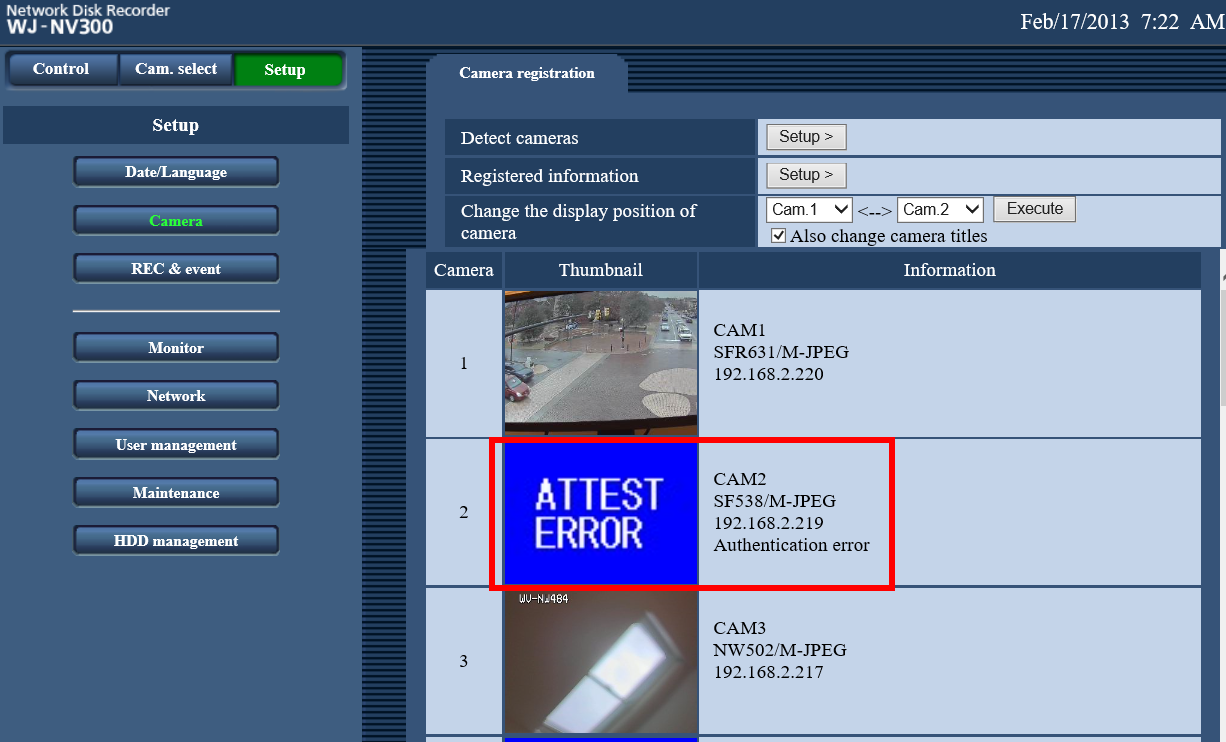
Attest Error on a camera screen that is added to any of the i-PRO recorders usually means that the recorder is getting denied access to the camera
・This may be due to the camera Username and/or Password being wrong
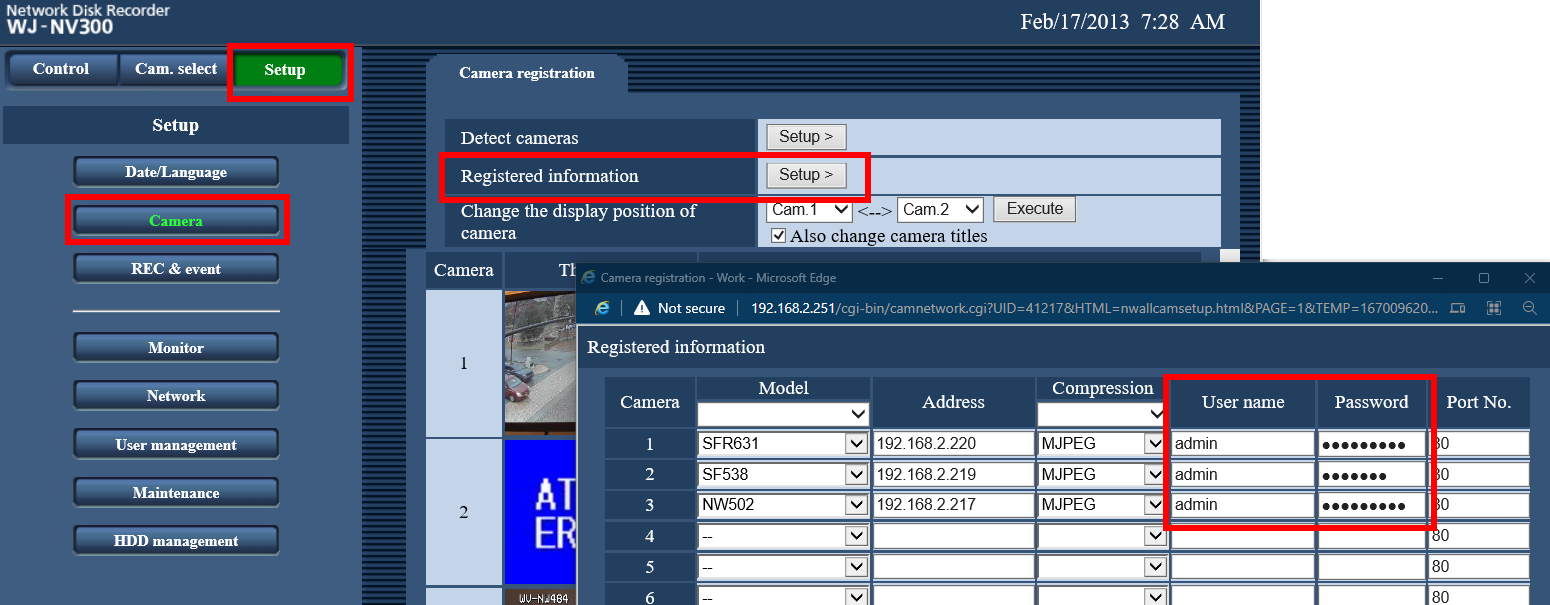
・Change the username and password in the NVR’s Camera Registration menu to match what the camera has configured,
and the error should clear
Article number:en124641
Last updated:June 19, 2025
Was this article helpful?
Thank you for your feedback!