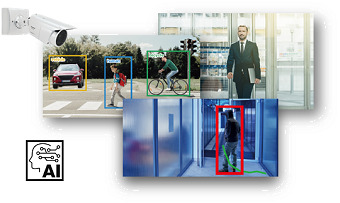
AI-VMD (AI Video Motion Detection) i-PRO
AI Video Motion Detection (AI-VMD)
- Intruders
- Loitering
- Direction
- Cross line
AI differentiates between vehicles, two-wheeled vehicles, and people. It further detects and sends warning notifications when they enter a specified area. It can also count the number of times the target object crosses line.
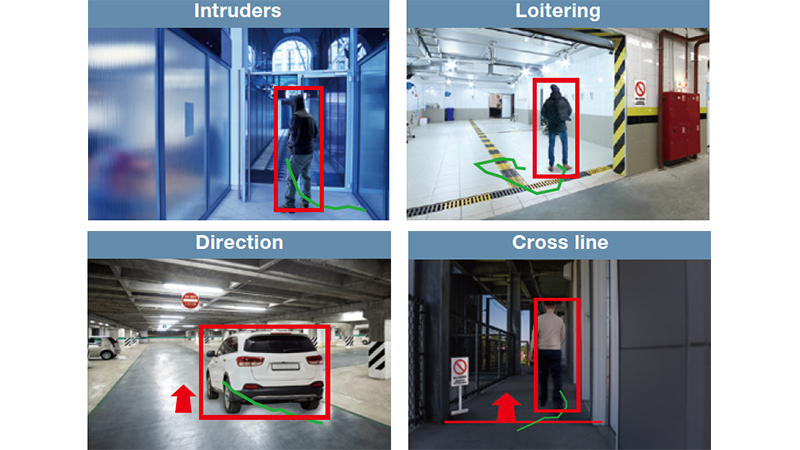
Intruders
It is possible to issue an alarm whena moving object enters a specified area.
Loitering
It is possible to issue an alarm when a moving object enters a specified area and stays there for a specified amount of time.
Direction
It is possible to issue an alarm when a moving object enters a specified area and moves in the specified direction.
Cross line
It is possible to issue an alarm when an object moving in the specified direction crosses a specified threshold.
Specifications
Data Sheet
A&E Spec Sheet

Manuals
User Manual/Operating Instruction
Firmware/Software
Software
![AI-VMD (WV-XAE200W) [Type1]](/products_and_solutions/themes/custom/ipro/assets/images/common/icon/products_documents_icon.jpg)
Version 3.70
[Important notice]
1. Refer to Installation conditions for applications on i-PRO Network Camera with AI Engine for the below information:
- The ROM size and RAM size WV-XAE200W uses
- The memory capacity each camera holds for extension software
2. Upgrade camera firmware to the latest version, and then install or update this extension software.
Release Note
Other
Technical Document
Compatibility list for extension software (Excel)
Management number: C0103
Compatibility list for extension software (PDF)
Management number: C0103