When launching the PS-API sample program "PlayLiveTestToolDLL.exe" downloaded from the i-PRO global site, the error "library error (VIDEO_ERROR_GEN_RTPRECEIVER_FILTER))" is displayed and the program cannot be executed.
- Troubleshooting
- Device Integration
To run the PS-API sample programs, you need to install the sample program execution environment. Download PS-API from the i-PRO Global Site and install the PS-API environment by following the installation instructions in the included PS-API Installation Guide.
Procedure
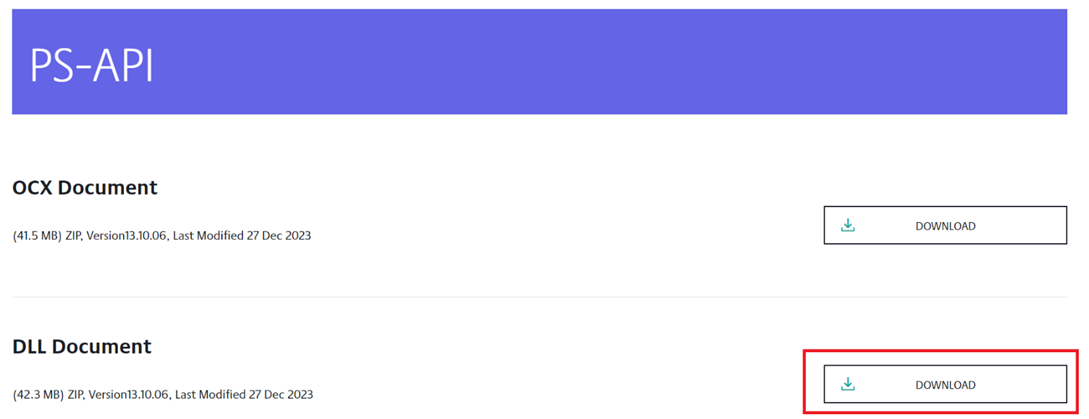
- Download the PS-API from the i-PRO global site.
PS-API | i-PRO Products - Click the “Download” button in “DLL Document” and unzip the downloaded file.
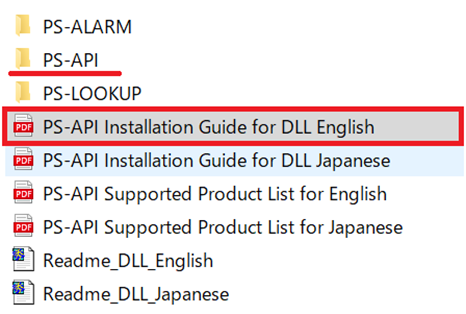
- Install the PS-API execution environment by following the procedure in “Chapter 3.2 PS-API install [Operation phase]” of the manual “PS-API Installation Guide for DLL English.pdf” under the “DLL” folder.
- After the installation is complete, run the sample program.
Article number:en122141
Last updated:June 23, 2025
Was this article helpful?
Thank you for your feedback!