Cameras stop displaying on the HDMI monitor after logging out from the Recorder
- Network Recorders
- Specification
Most likely the recorder was configured to do this when the local user is logged out.
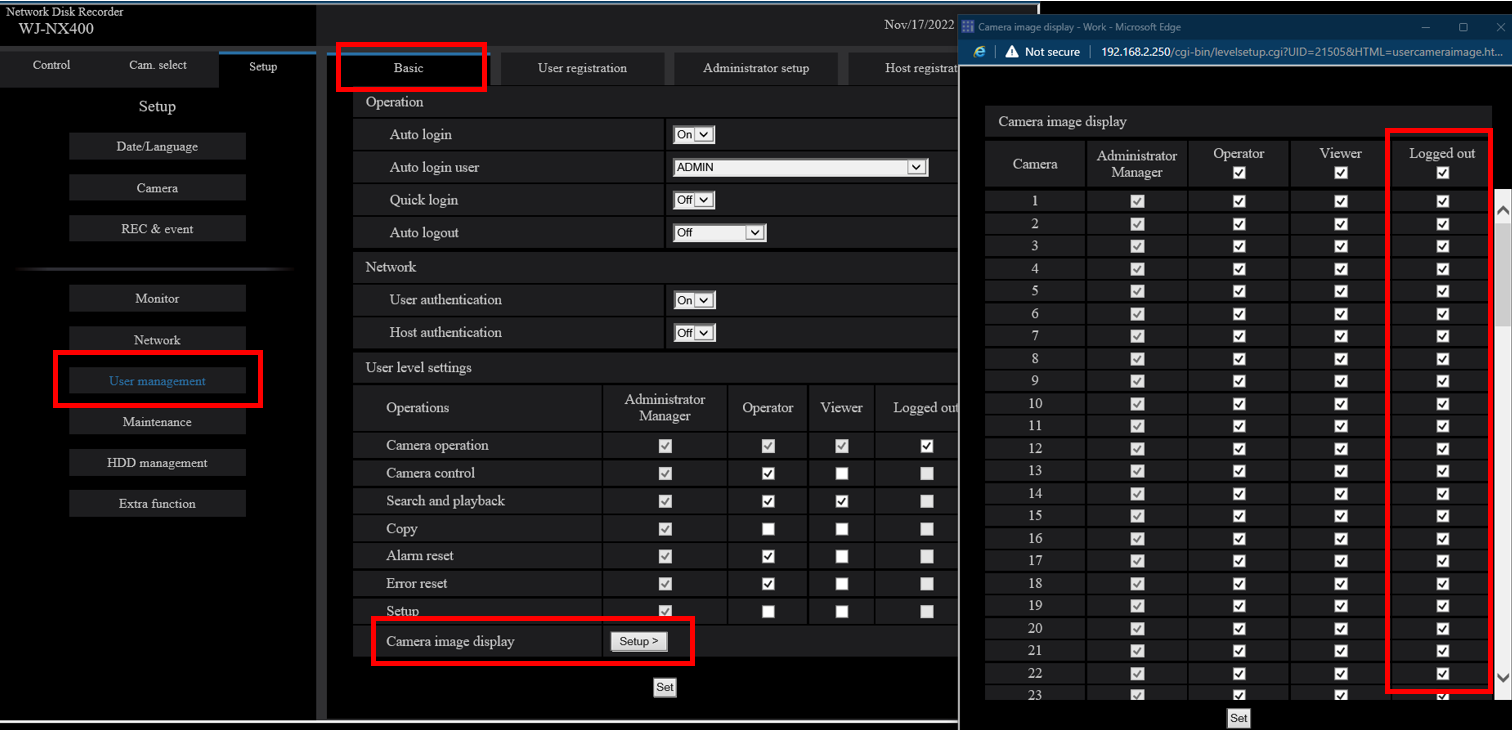
Check the Camera Image Display options found under User Management > Basic
If cameras under the “Logged Out” column are unchecked, they won’t display on the HDMI output when the NVR is logged out locally. Be sure to select all cameras that you want displayed when the NVR is logged out.
Article number:en124521
Last updated:June 18, 2025
Was this article helpful?
Thank you for your feedback!