What can I do if my VP-16-V2 Encoder says the device is locked and is causing issues on VI?
- Video Insight VMS
- Troubleshooting
Problem Description:
When accessing the VP-16-V2 encoder, it says the device is locked. This is causing VI Monitor Plus to stop receiving live video and stop recording.
Register the VP-16-V2 encoder’s proper username and password credentials into the VI.
1. If the web interface device says it is locked, check if the username and password is correct in VI and in the Encoder
2. Attempt to login to the encoder directly via web browser
3. Once the proper credentials have been confirmed, consider overwriting the username and password in VI with the known credentials
IMPORTANT
VI Monitor Plus only knows what you input with the software. What we need is the correct username and password in VI Monitor Plus matching with the Encoder. If you don't have it, then you may have to reset the encoder. If you believe the username and password in VI is indeed correct, you will need to remove the camera from VI, reboot it, and attempt to login via the web interface for the camera.
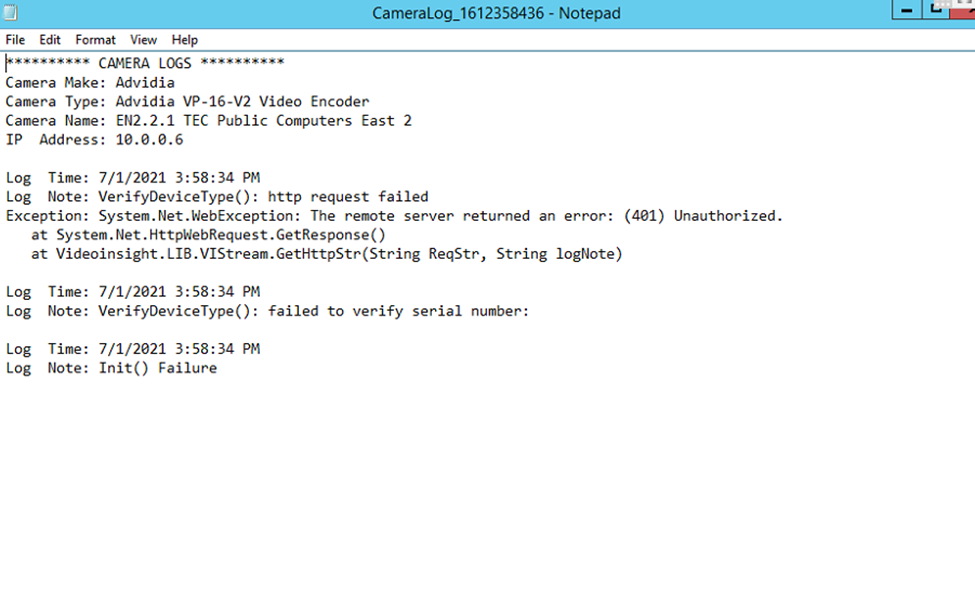
Camera Error Logging sample, showing an authentication error
Article number:en124036
Last updated:June 16, 2025
Was this article helpful?