Why isn't the WJ-ND300 (A) configuration saved via the WEB GUI?
- Network Recorders
- Troubleshooting
Problem Description
After making changes to the WJ-ND300(A)'s configuration, the SET button is clicked to save the settings.
During operation, it appears that the changes were not applied.
Accessing the Setup menu, you find that the changes did not save.
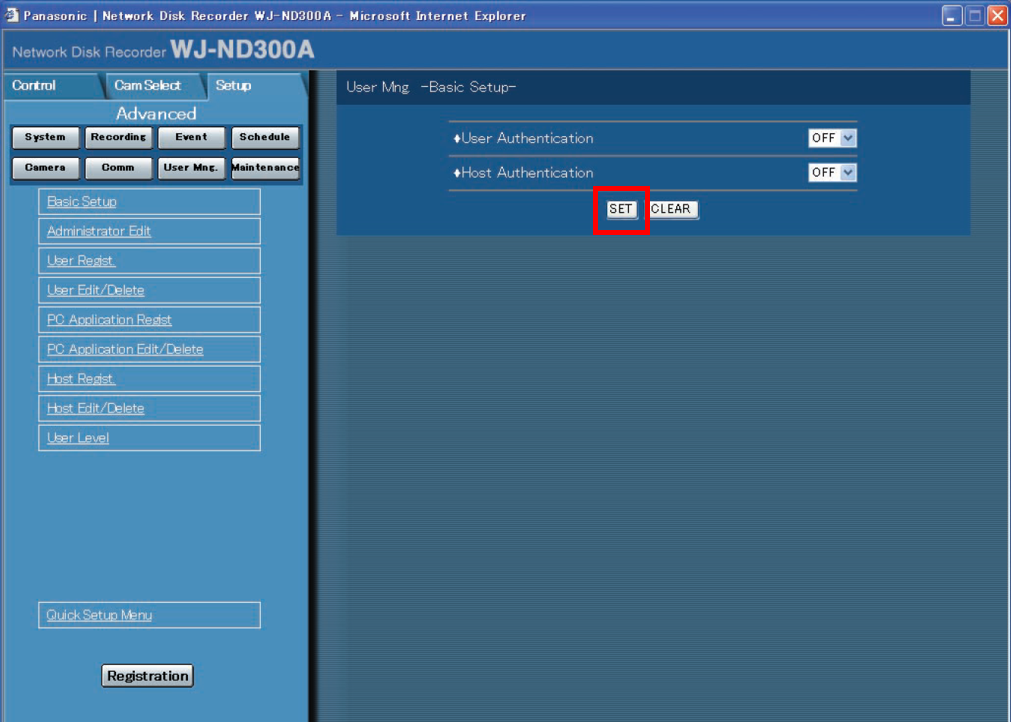
The SET button will only temporarily save changes. When configuring the WJ-ND300(A) recorder, continue to make all the desired changes, and be sure to always click SET.
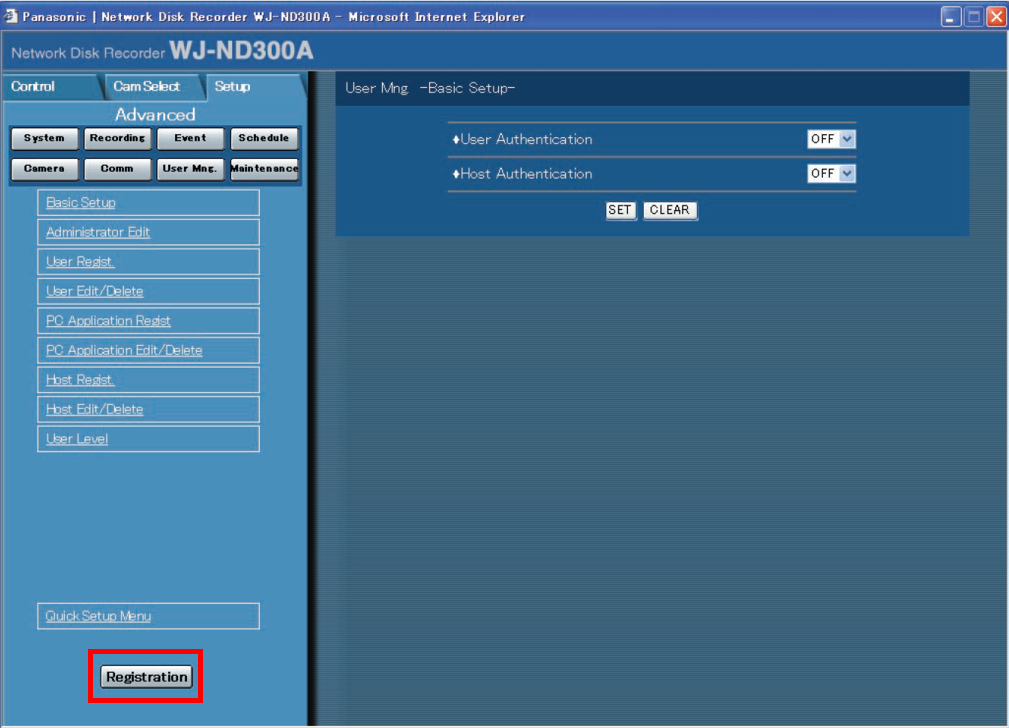
Before returning to the live screen (Cam Select or Control tab), and after all changes have been made, be sure to click “Registration”.
By executing this, you are basically registering/uploading all changes to the WJ-ND300(A).
Article number:us-en124626
Last updated:June 19, 2025
Was this article helpful?
Thank you for your feedback!