How do I Import/Export Badge Templates for Badge Printing?
- Video Insight VMS
- Installation/Configuration
This feature can be executed from the Bade Printer Application.
1. Open the Badge Printer Application (C:\Program Files\Video Insight\Monitor Cast\MonitorCast
BadgePrinting\MonitorCastCardProduce.exe)
2. Go to [Tools] → [Template Management]
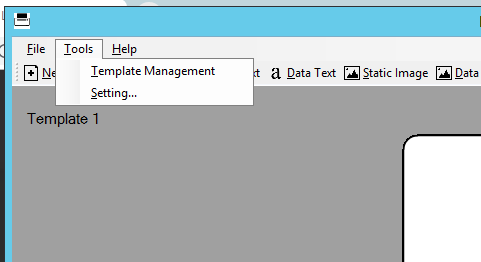
3. In the top right, you have options to Import or Export a Template

Note:
If you want to Export a Template, make sure to check the template(s) you want to export out
Article number:us-en124381
Last updated:October 16, 2025
Was this article helpful?
Thank you for your feedback!