How do I create a Reader Group in MonitorCast?
- Video Insight VMS
- Installation/Configuration
Just like a personnel group, Reader Groups can be used to add a block of readers into access levels, door schedules, rules and etc. without having to add each reader individually. This can be configured under [Hardware] → [Reader Groups]
・To begin, go to Reader Group (Hardware > Reader Groups)
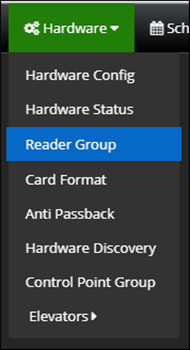
・Once in the reader group menu, select a site you want to create a reader group for, and click on the edit button (see below)

・Then select “Add New.”
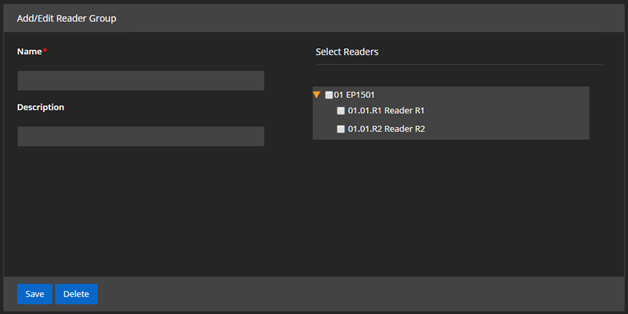
・You will get a configuration screen. You can set a name and description for the new reader group,
as well as select the readers you want to add to the new group
Article number:us-en124351
Last updated:October 16, 2025
Was this article helpful?
Thank you for your feedback!