How do I cycle, or start a sequence of, Views in VI Monitor Plus?
- Video Insight VMS
- Installation/Configuration
- Operation
You can start a cycle (sequence) of Views with the Cycle option in VI Monitor Plus.
- Login to VI Monitor Plus
- Under the Views panel, click the options icon and select Cycle
- Select the Views you wish to be part of the Cycle
- Set a Cycle interval, in seconds or minutes
- Click Start Cycle to begin cycling through the views
See images below for reference:

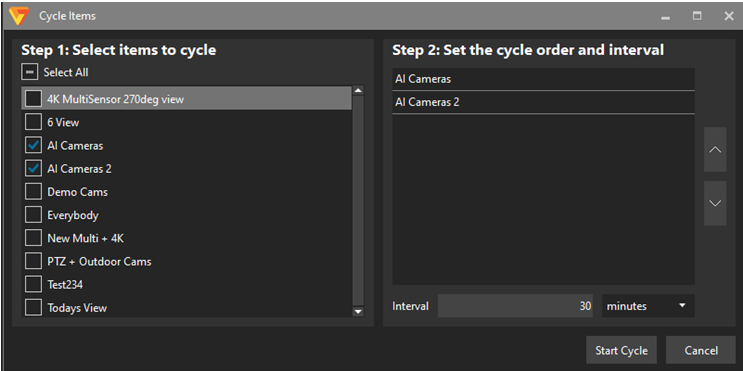
Images captured from VI Monitor Plus v7.9.3
Article number:us-en123926
Last updated:October 16, 2025
Was this article helpful?
Thank you for your feedback!