How can I set areas where AI Privacy Guard is prohibited?
- Analytics
- Installation/Configuration
Please access the URL below to configure.
http://[IP address]/admin/setup_mosaic_mask.html
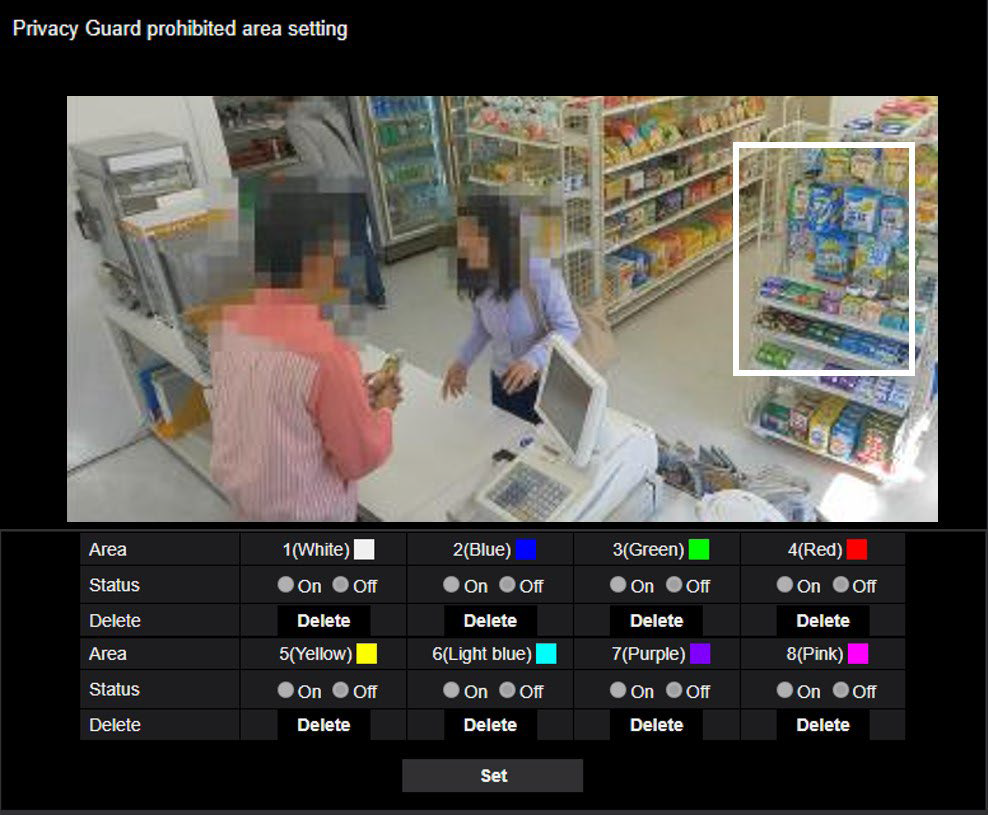
1. Masking zone (square): Draw the prohibited area as a rectangle. Settings for up to 8 locations are distinguished by the color of the drawing line.
The color of the drawing line is in order starting with "1(White)".
2. Click the [Set] button.
Article number:us-en123166
Last updated:October 20, 2025
Was this article helpful?
Thank you for your feedback!