How do I configure VMD Alarm Recording on cameras and a recorder?
- Network Recorders
- Installation/Configuration
Register cameras to the recorder and set the VMD alarm on each cameras.
[Procedure]
[Recorder]
1) Register cameras to the recorder.
2) In [Camera setup] tab set [VMD alarm] to On.
[Camera]
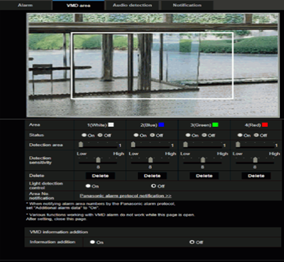
Click the [ VMD area ] tab on the “Alarm” page and set the VMD area.
Article number:us-en121146
Last updated:October 16, 2025
Was this article helpful?
Thank you for your feedback!