In Security Radar, false alarms are occurring. What should I check and how can I address this?
- System Products
- Troubleshooting
Adjust the detection area and alarm thresholds to reduce false alarms; if the issue continues, use the linked PTZ camera’s AI auto-tracking alarm instead of the security radar alarm.
Check the followings:
- Move the detection line/area away from the area where false detections occur
- Increase the alarm duration in [Time setting] and detection distance threshold in [Distance Settings]
If adjusting the settings above does not resolve the issue:
- Use the linked PTZ camera’s AI auto‑tracking alarm instead of the security radar alarm
Setting procedures:
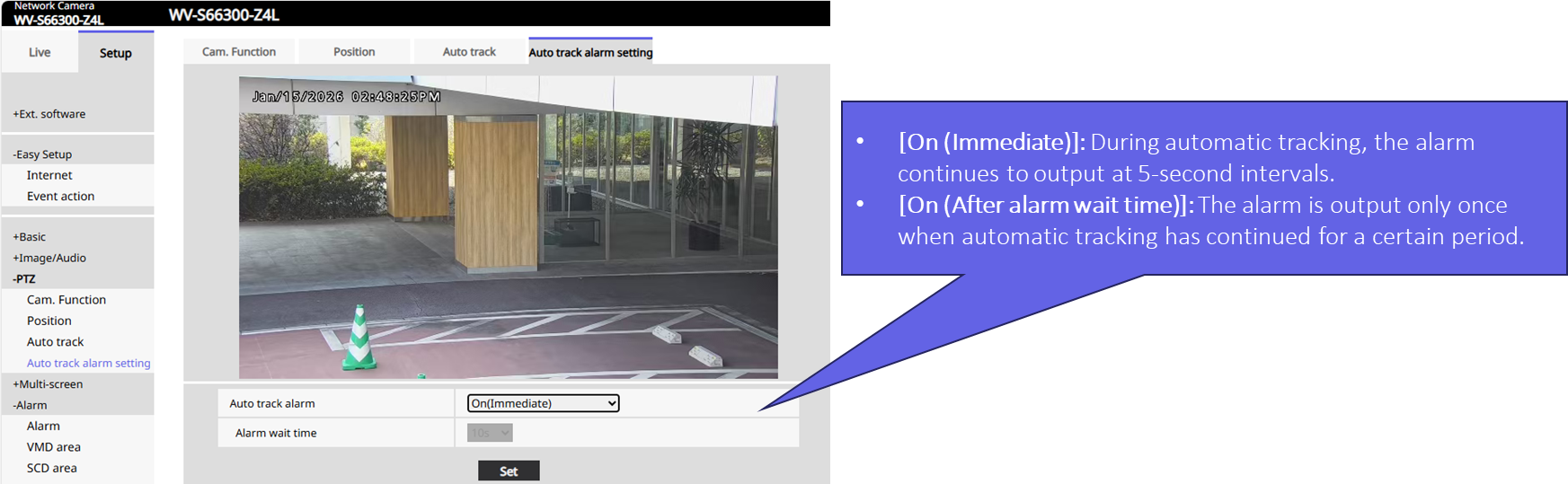
- Open the PTZ camera’s setting window and go to PTZ Settings → [Auto track alarm setting].
- Set [Auto-Tracking Alarm] to On (Immediate) or On (After alarm wait time).
3. Configure alarm notification setting of PTZ camera
<Sample case of TCP Notification to ASM300>
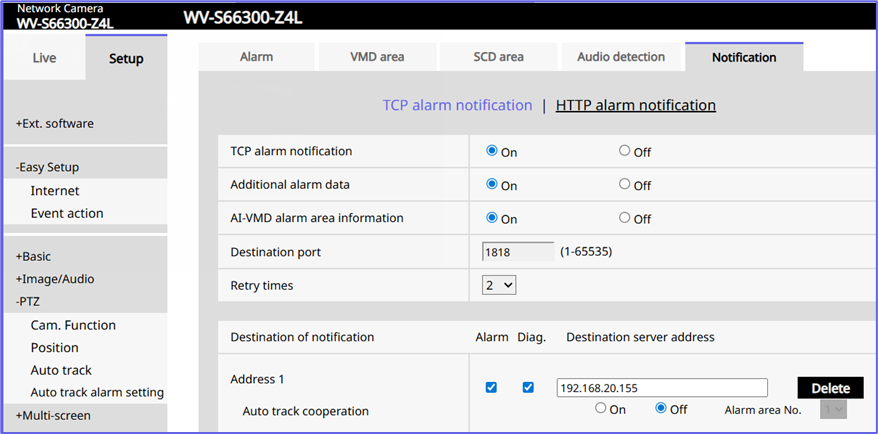
*The TCP alarm notification from the security radar to the ASM300 needs to be disabled. Coordinate information (Radar -> PTZ) is calibration‑based and independent of alarms, so disabling alarm notification setting will not affect the PTZ linkage.
Result:
The auto‑tracking alarm will be generated only when both conditions are met:
- The security radar has triggered an alarm
- The PTZ camera has detected the tracking target
Article number:eu-en131701
Last updated:March 24, 2026
Was this article helpful?
Thank you for your feedback!