In Security Radar, the target object is detected, but the alarm is not triggered. What should I check?
- System Products
- Troubleshooting
Turn on [Show Raw Radar Data] and check the following settings to identify why the alarm is not triggered.
Set [Show Raw Radar Data] to On to check the followings.
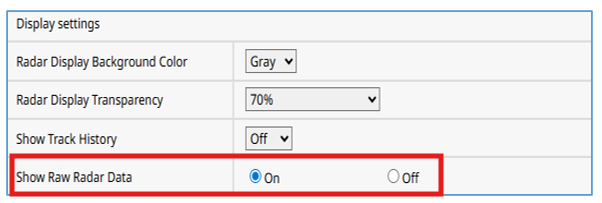
●When no raw radar points are displayed:
・Check the radar installation conditions (height, orientation, tilt, and location)
・Increase the [Detection sensitivity]
・Make sure no mask is set over the area that should be detected
●When raw radar points are displayed, but detection icons do not appear
A. When icons disappear during detection → Review the [Detection filter settings]
B. Icons do not appear at the start of detection → Reduce the [Fluctuation Filter Strength]
●Detection icons appear but no alarm is triggered
・Review the detection line and detection area settings.
・Shorten the alarm duration and alarm distance.
Article number:eu-en131581
Last updated:March 16, 2026
Was this article helpful?