How can I get the log file (System.log) in the recorder?
- Network Recorders
- Tools
- Operation
You can get the log file by using i-PRO Configuration Tool (iCT). NX Recorder can get logs from the main monitor.
Case 1. How to get from i-PRO Configuration Tool
"i-PRO Configuration Tool” software (iCT) is available from the following URL.
i-PRO Configuration Tool
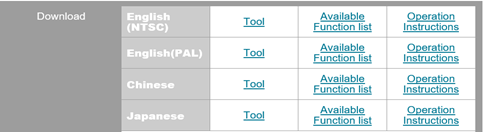
[ Procedure ]
1. Start iCT and log in
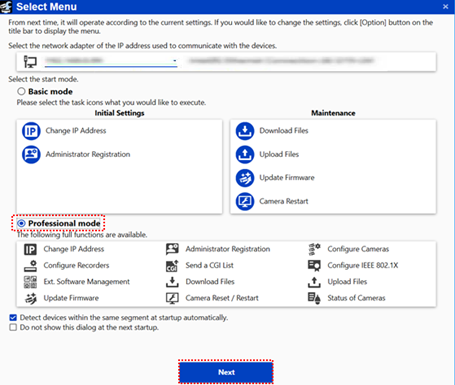
2. Select “Professional mode” radio button and click [ Next ] button
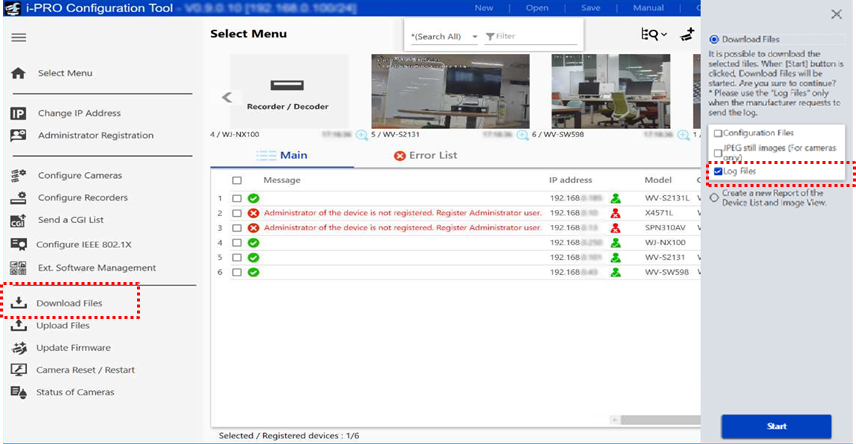
3. Click “Download Files” menu, tick “Log files” checkbox at the right popup menu, and then click [ Start ] button.
# Log files are downloaded.
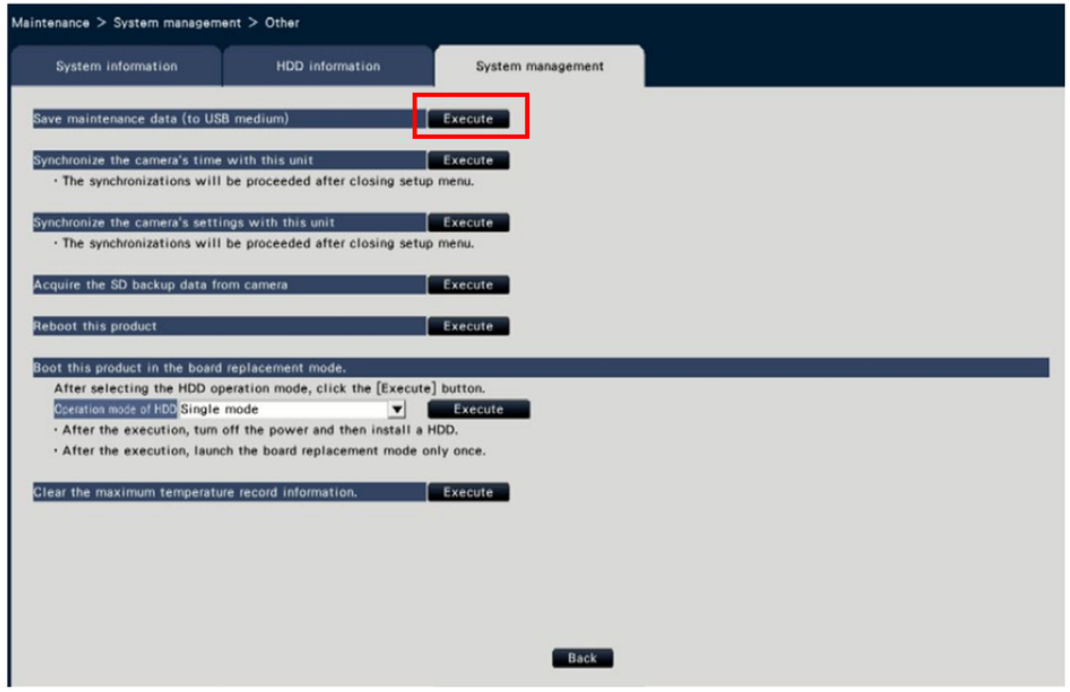
Case 2. How to get from main monitor of NX recorder
NU recorder is not supported, please use iCT to get logs.
It can only be obtained from the main unit and cannot be obtained from the browser.
[ Procedure ]
1. From the [Advanced setup] menu - the [Maintenance] page
2. Select [System management]
3. Click [Setup>] in the "Other" menu.
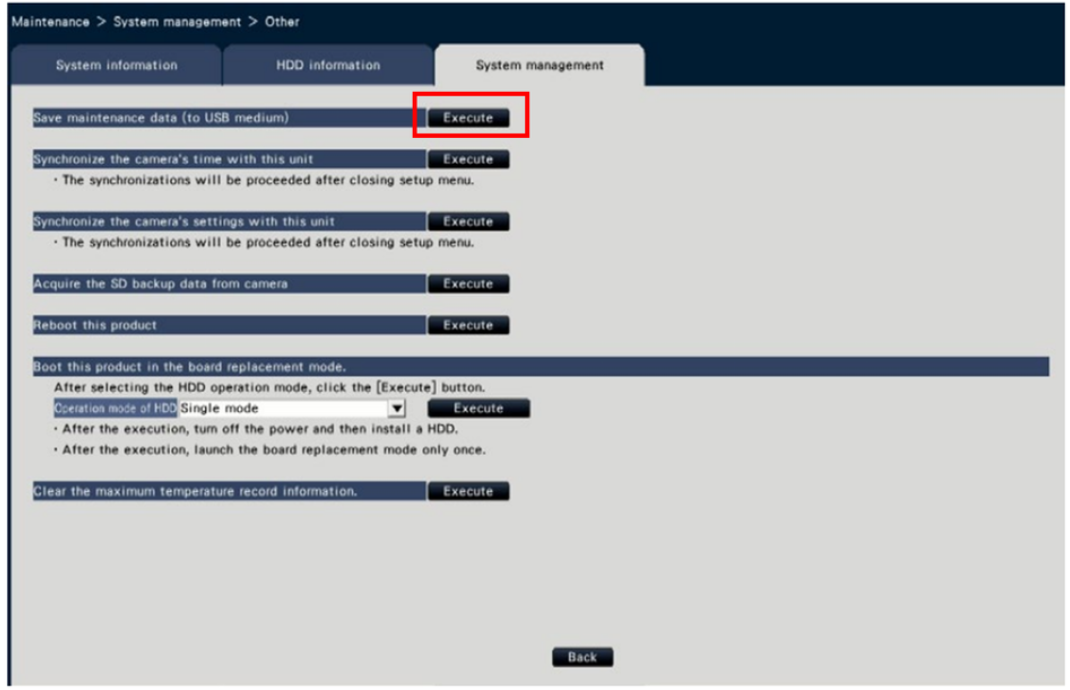
4. Click the [Execute] button then start saving the log.
Article number:eu-en124981
Last updated:June 24, 2025
Was this article helpful?