i-PRO AI camera cannot access the AI-VMD setup page.
- Analytics
- Troubleshooting
Problem Description
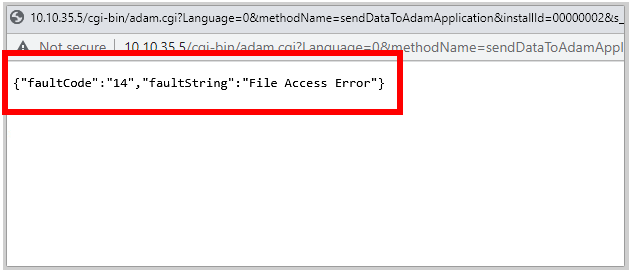
For an i-PRO AI camera (Ex. WVS2536LN, WVX2571LN, etc.), when trying to access the AI-VMD setup page, a browser error message is received:
{"faultCode":"14","faultString":"File Access Error"}
The AI-VMD setup page cannot be accessed via camera browser.
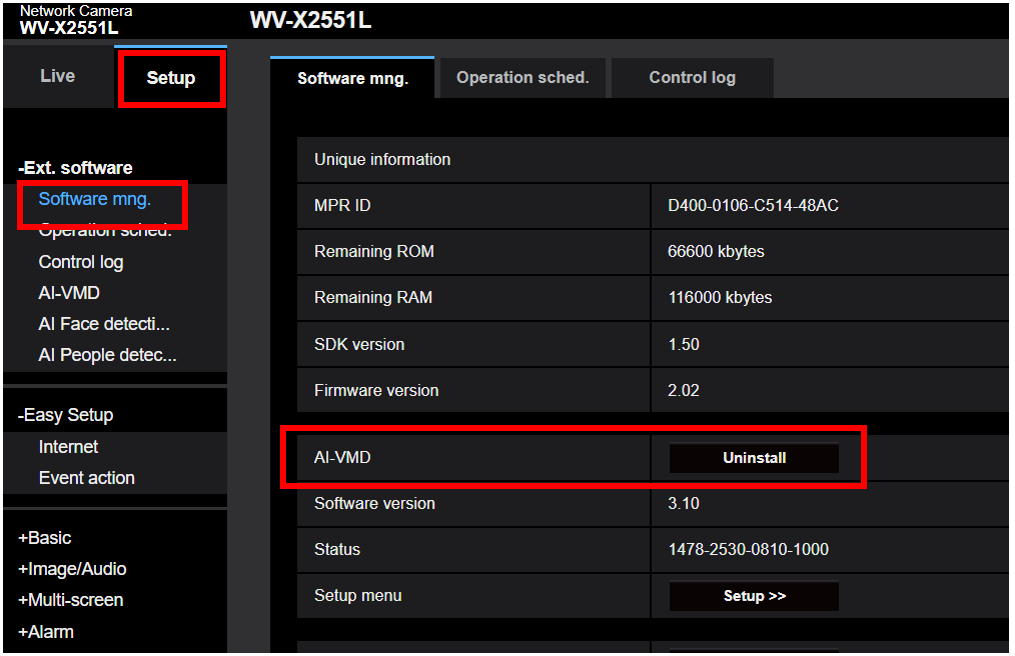
Uninstall the AI-VMD plugin, update the latest camera firmware, and then install the AI-VMD plugin again.
Step 1: Uninstall the AI-VMD plugin
Step 2: Update to the latest camera firmware
Visit the i-PRO Global resource site to locate your camera firmware.
Documentation Database List | i-PRO Global
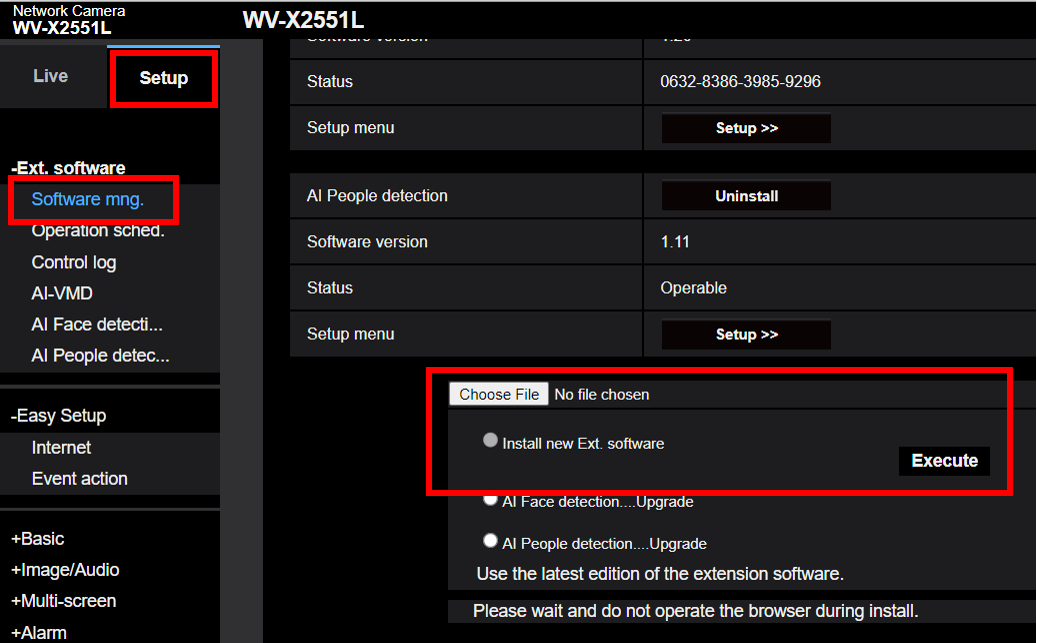
Step 3: Reinstall the latest version of the AI-VMD plugin
・Visit the i-PRO Global resource site, or the link below, to download the AI-VMD plugin, also known as the WV-XAE200W extension software.
WV-XAE200W Extension Software Download Page
・Extract the XAE200 / AI-VMD plugin from the compressed folder
・Under the camera’s Software Mng. menu, select the option, “Install New Ext. Software”
・Click Choose File and browse to the plugin
・Click Execute
・Confirm the AI-VMD is installed, and the AI-VMD Setup menu can be accessed
Article number:eu-en124851
Last updated:June 23, 2025
Was this article helpful?