Why does VI Monitor Plus not open on the monitor display even if it shows in the Task Bar?
- Video Insight VMS
- Troubleshooting
Problem Description:
When you open VI Monitor Plus, the icon is displayed on the Task Bar, but does not show on the monitor display itself. When you hover over the VI Monitor Plus app, it just shows a black window from the Task Bar.
This is due to the VI Monitor Plus running in the background and being minimized. The application must be maximized.
1. Open VI Monitor Plus
2. Open Task Manager
3. Find the VI Monitor Plus app.
4. Expand the VI Monitor Plus app
5. Right click the VI Monitor Plus after expanded
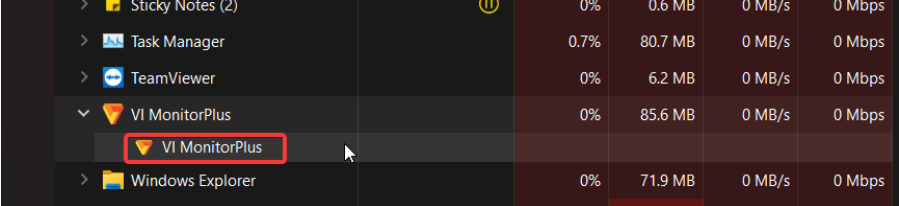
6. Click on Maximize
7. This will bring the VI Monitor Plus on the monitor again
This method was tested on Windows 10, 11 environments
Article number:eu-en123981
Last updated:June 16, 2025
Was this article helpful?
Thank you for your feedback!