How can I synchronise the time between camera and recorder?
- Network Cameras
- Specification
There are two ways to synchronise camera time:
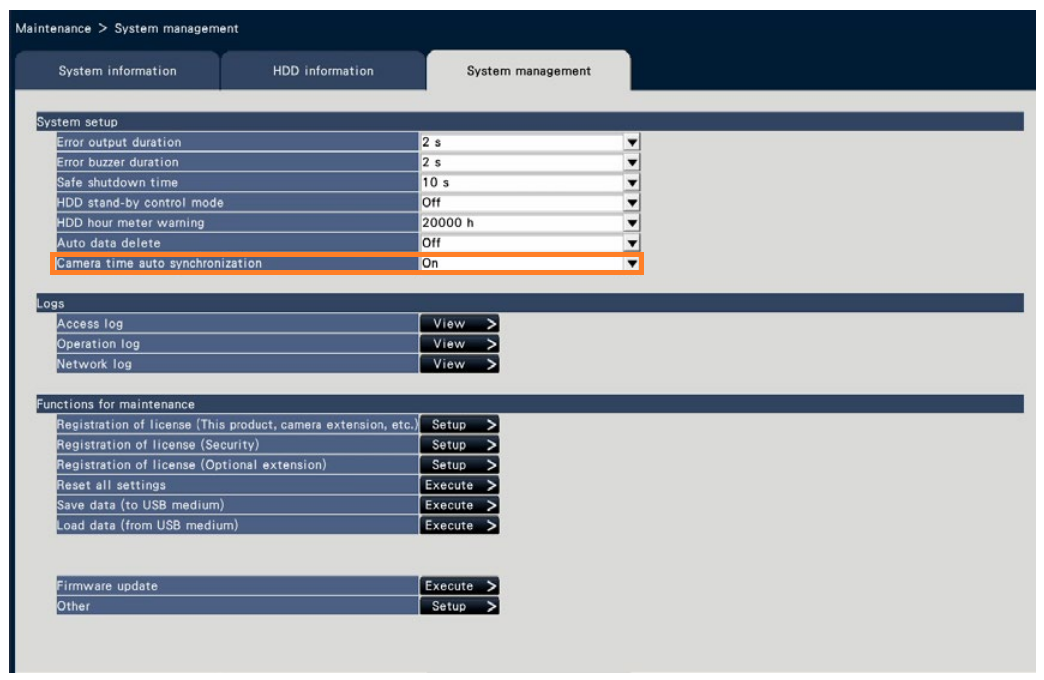
1. Set on recorder: Periodically synchronise recorder time with camera
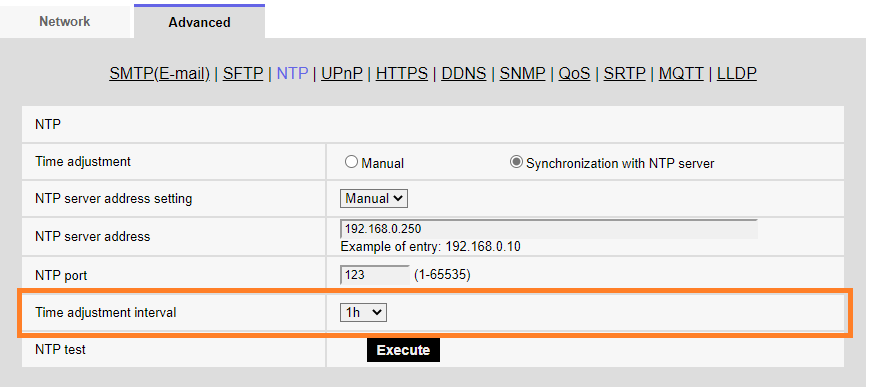
2. Set on camera: Set recorder as camera’s NTP server.
1. Set on recorder: Periodically synchronise recorder time with camera
When “Maintenance” - “System Management” - “Camera time auto synchronization” of the recorder is set to “On”, all cameras connected to the recorder will be sent a CGI command(time correction) once a day when the date changes.
2. Set on camera: Set recorder as camera’s NTP server.
From “ “Setup” → “Network” → “Advanced” → “NTP”, set IP address of the recorder in "NTP server address", then camera accesses the recorder for time synchronisation at the time set in "Time correction interval".
Article number:eu-en123696
Last updated:June 16, 2025
Was this article helpful?