The camera image flickers. How can I improve?
- Network Cameras
- Troubleshooting
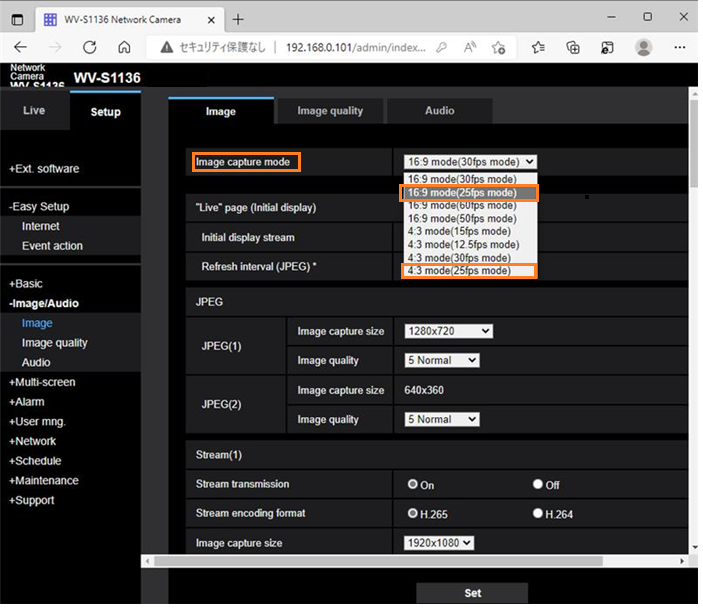
If the camera can set 25fps mode, set “Image capture mode” to “16:9 (25fps mode)” or “4:3 (25fps mode)” and check if the situation improves.
Change the settings from the screen below.
The following measures may also improve the phenomenon.
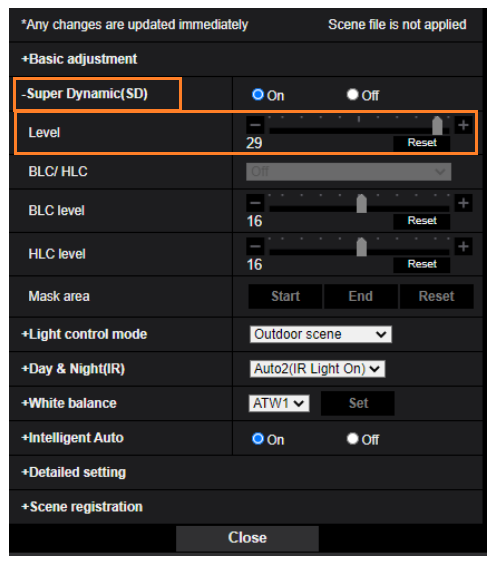
1. Adjust the level of Super Dynamic (SD) to be smaller than the default.
Default: 29 (example: 8)
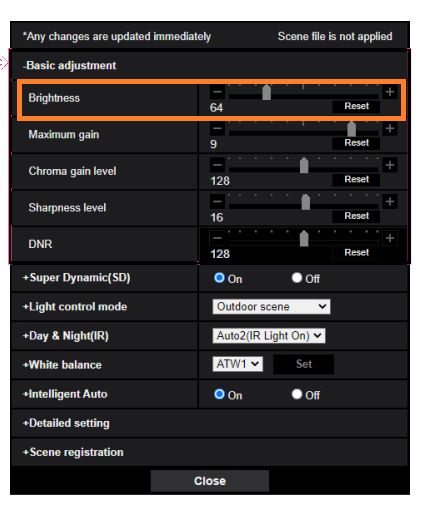
2. Adjust the Brightness level higher than the default.
Default: 64 (example: set to 128)
Article number:us-en123631
Last updated:June 16, 2025
Was this article helpful?
Thank you for your feedback!