How can I confirm if the NX Recorders synchronize with an NTP server?
- Network Recorders
- Operation
Problem Description
The NX Series recorder should be configured to communicate with an NTP server, but we want to be sure that the synchronization is actually occurring.
You can check the Network Log to see if the NTP synchronization was succeessful.
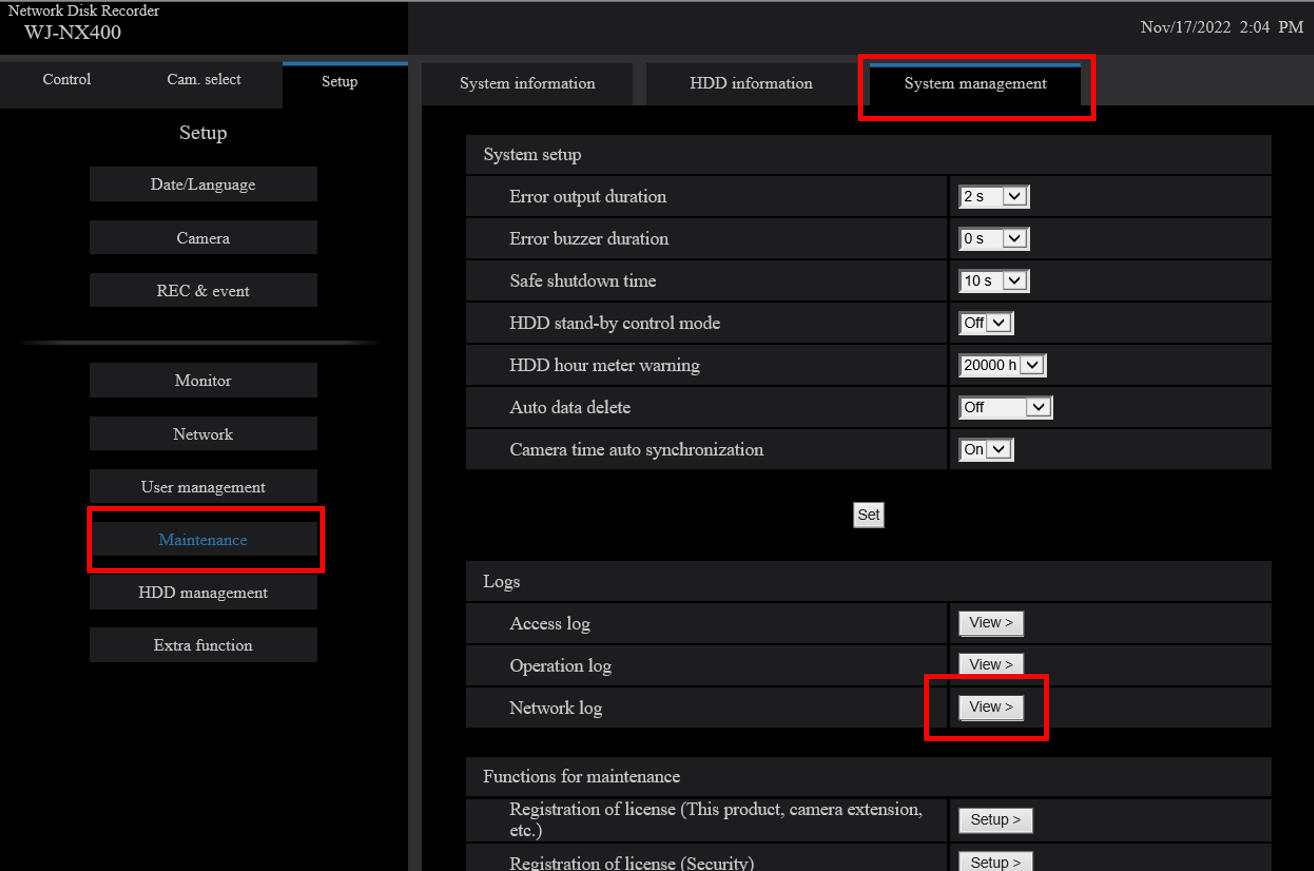
1. Click the [ System Management ] tab in the Setup menu - the "Advanced setup" menu - the "Maintenance" page
2. Click the [ View >] button in "Logs" - "Network Log"
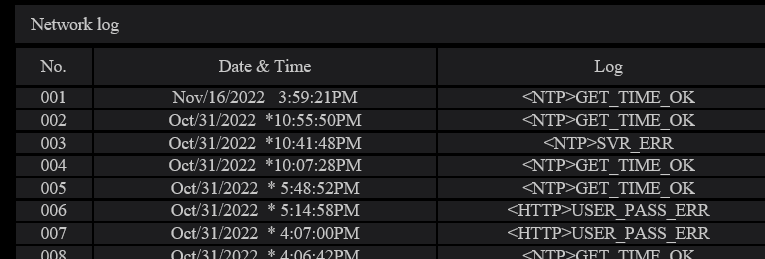
#If you find “<NTP>GET_TIME_OK” in the log, WJ-NX400 synchronizes with the NTP server successfully.
#If you see "<NTP>SVR_ERR" in the log, it means “No response from the NTP server “.
In this case WJ-NX400 failed to synchronize with NTP server.
Other logs related to the NTP server:
・<NTP>SVR_ADD_ERR : Failed to resolve NTP server address from DNS
・<NTP>SET_TIME_ERR : Failed to adjust the time
・<NTP>TIME_INVALID : Time from the NTP server is invalid
・<NTP>OTHER_ERR : Other errors for NTP
Article number:apac-en124511
Last updated:June 23, 2025
Was this article helpful?