Why are my camera images stretched or compressed on VI?
- Video Insight VMS
- Troubleshooting
Between the camera’s aspect ratio settings, and VI Monitor Plus' settings, the video received from the cameras maybe be stretched or compressed to completely fill the display area.
To maximize display coverage and minimize/eliminate any alterations to the live view, execute the following:
Set Aspect Ratio on the Camera
- Log into the camera’s web GUI and Setup
- For any stream enabled, use one that has an aspect ratio of 16:9
- On i-PRO cameras, set the aspect ratio to 16:9
- If they are a 4:3 aspect ratio, the image will look more compacted, or there will be larger black bars on the sides of the video, depending on VI settings
VI Monitor Plus Settings
Set VI Monitor’s settings as desired.
[System] → [Options] → [General]
Default Size of Camera Image
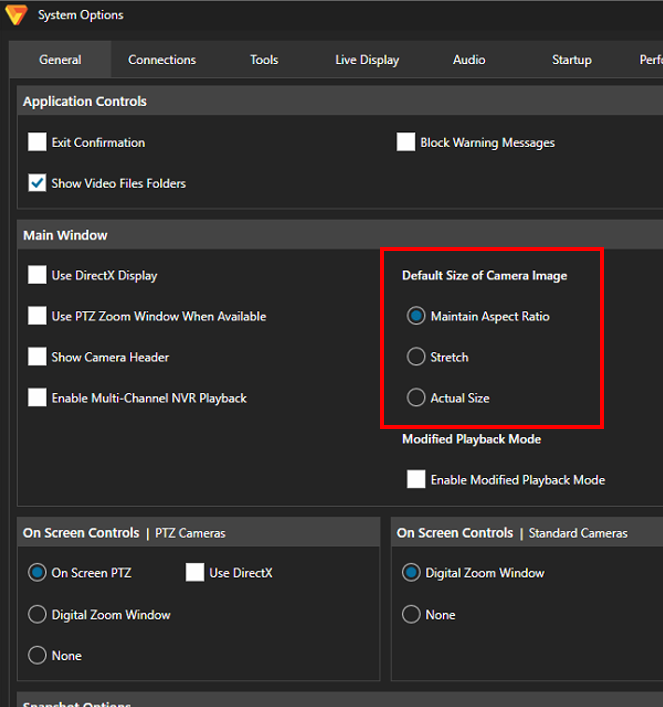
Maintain Aspect Ratio - The camera image will not be stretched
Stretch - The camera image will be stretched to fill the display area
Article number:apac-en122911
Last updated:June 12, 2025
Was this article helpful?