Why is my ONVIF camera upside down in VI Monitor Plus?
- Video Insight VMS
- Troubleshooting
Camera shows upside down on VI Monitor Plus when using the ONVIF Profile. Any configuration/image rotation that we make on the web interface doesn’t affect the video in VI.
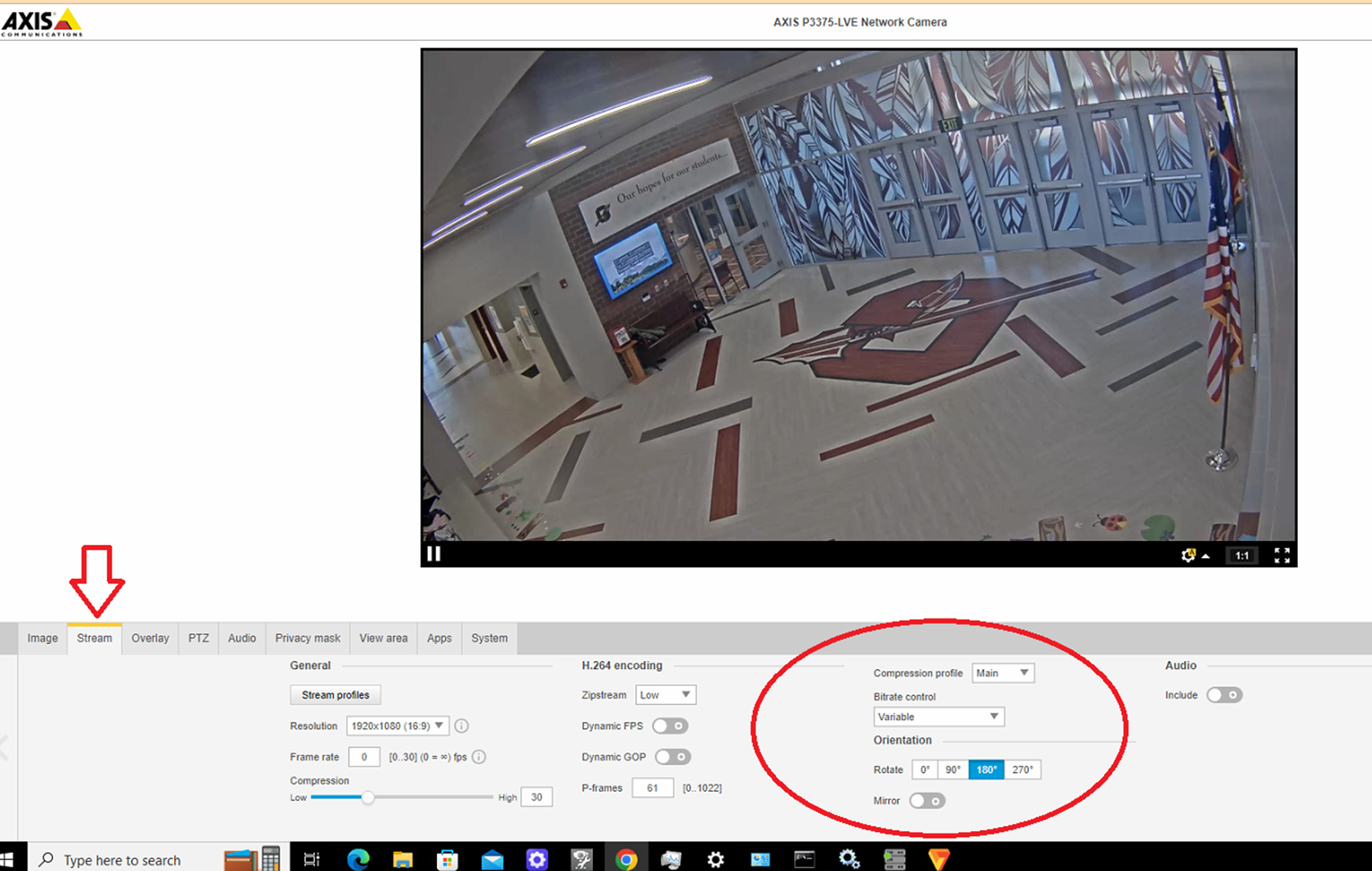
Can this be resolved without unmounting and reinstalling the camera?
This happens because even if you change the camera settings on the web interface, VI is receiving the stream using ONVIF. The changes made on the main menu won’t affect the video streaming to VI. The image rotation settings must be applied to the ONVIF stream.
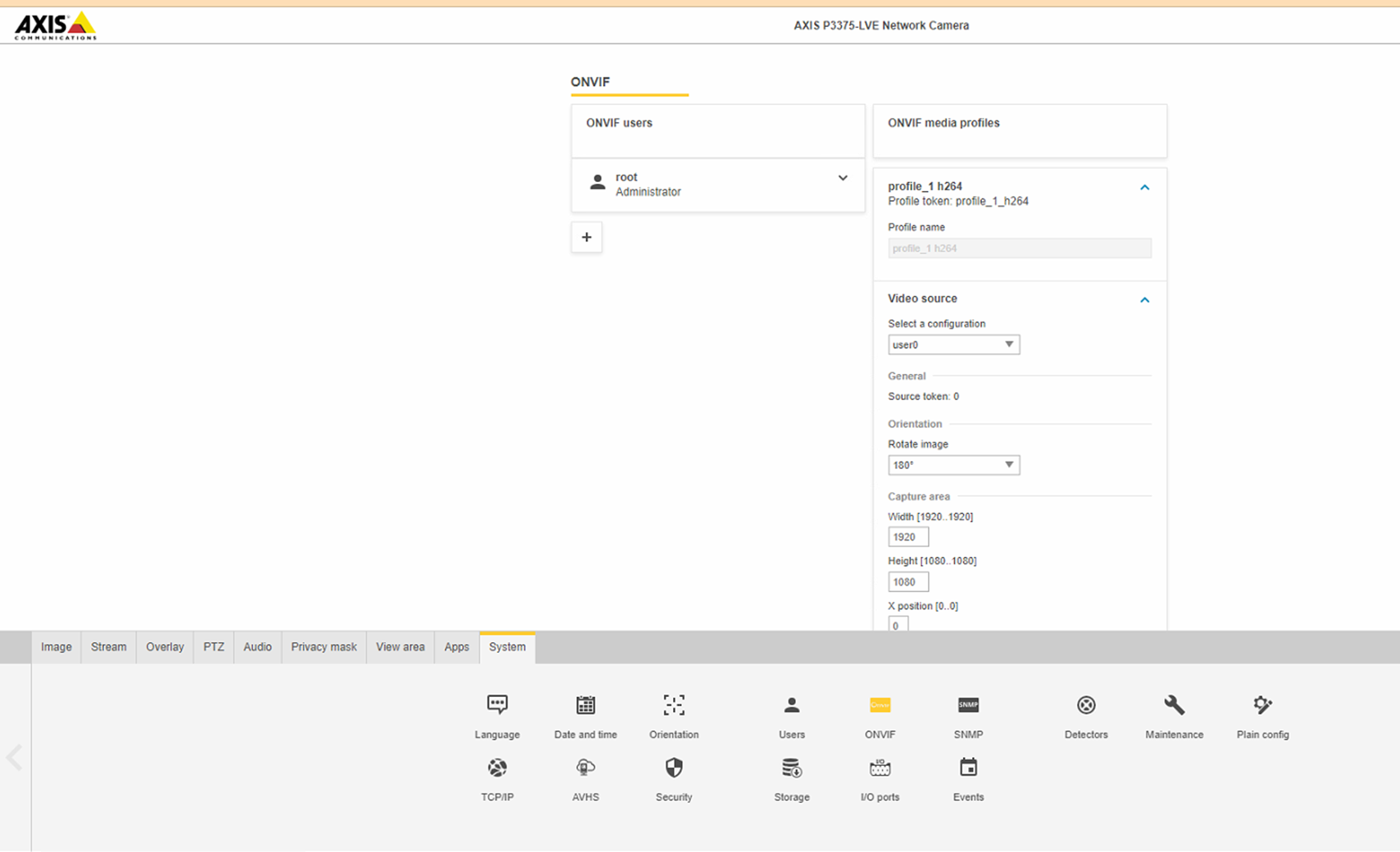
Example of ONVIF Orientation Settings
Open the camera settings and search for the ONVIF configuration menu, add a ONVIF profile or edit if they have an existing one.
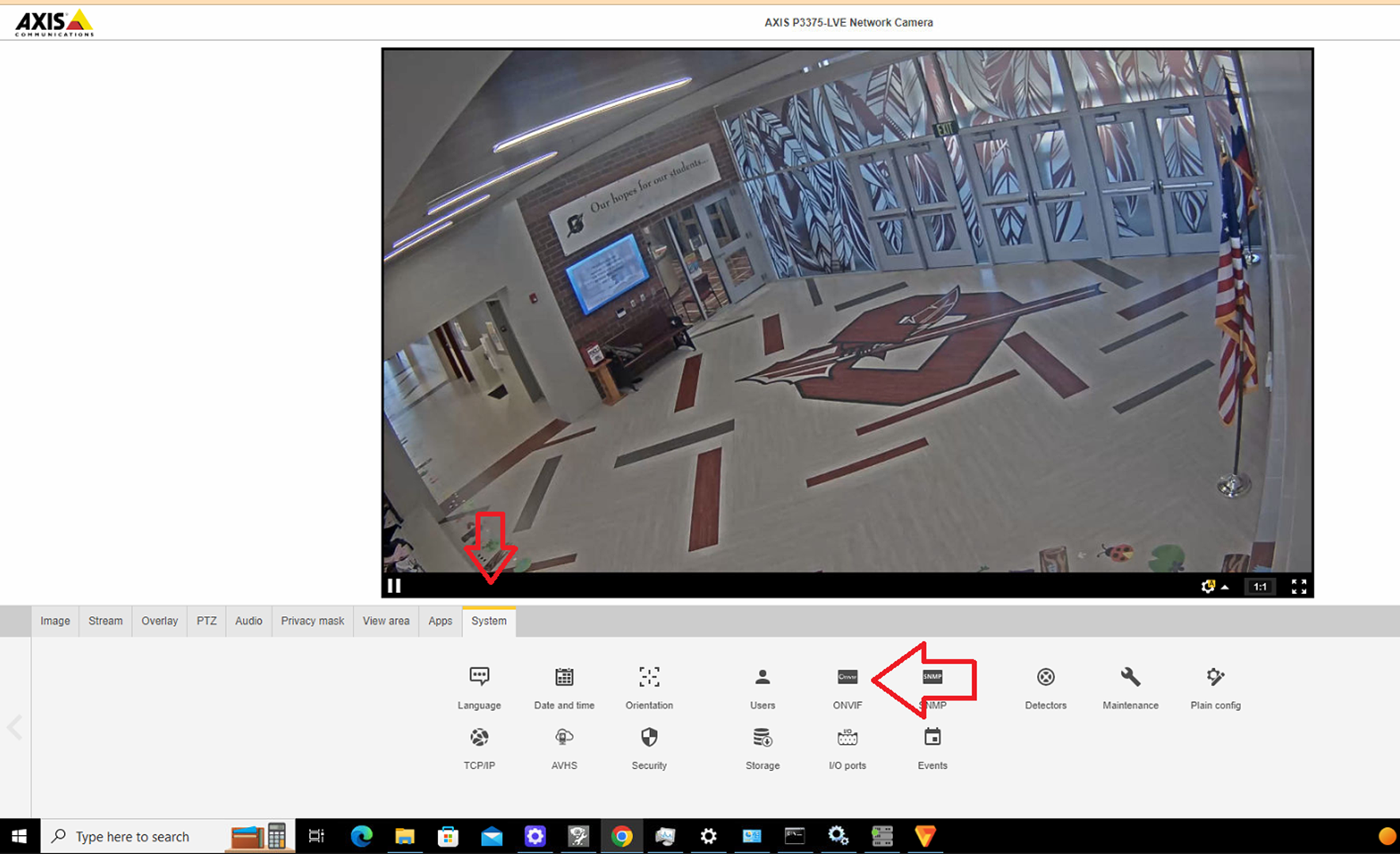
Expand the video source menu and look for the Orientation section and change it to 180 degrees.
Note:
Note that menu options, layouts, and parameters, will vary between vendors
Article number:apac-en121656
Last updated:June 09, 2025
Was this article helpful?
Thank you for your feedback!