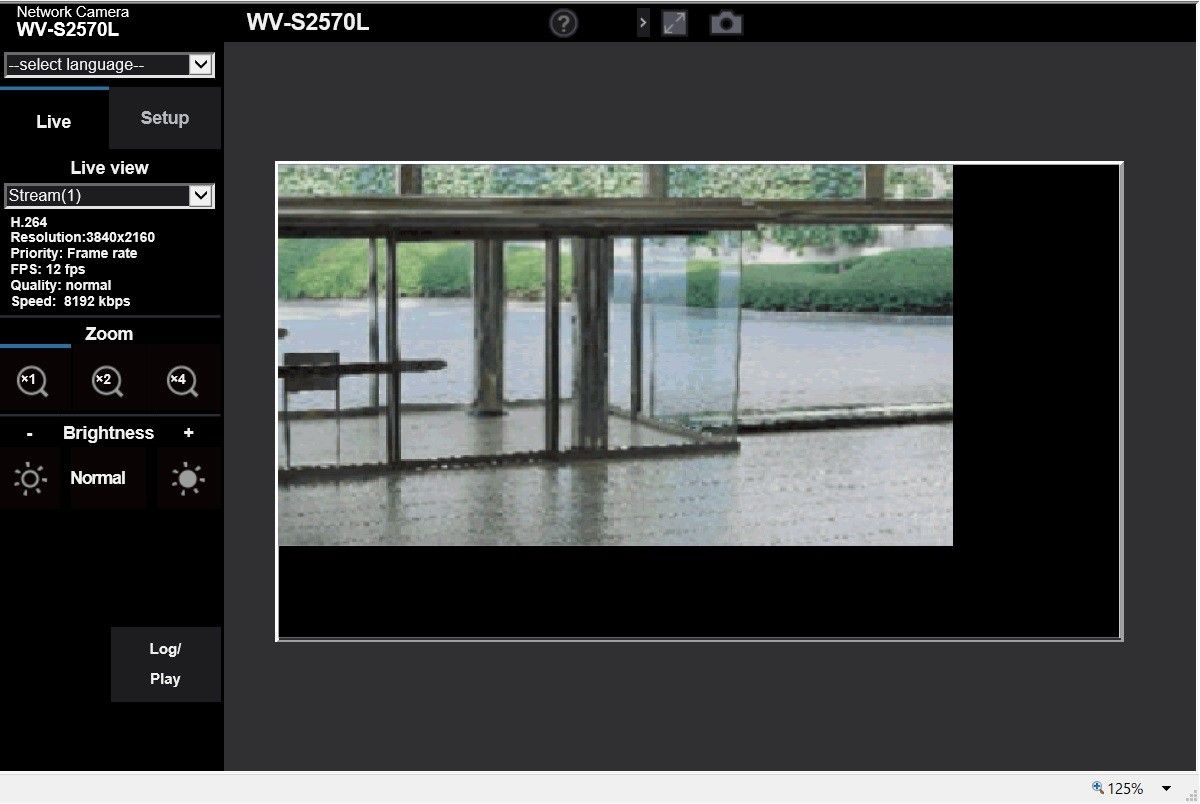
Why is L-shaped black screen displayed on the web browser for i-PRO camera?
- Network Cameras
- Browser/OS support
- Troubleshooting
When L-shaped black screen is displayed, the zoom level percentage on the web browser is 125%. If the zoom level percentage is changed to 100% on the web browser, normal screen (no L-shaped black screen) is displayed.
*In case of Internet Explorer (IE)
If a slider of the zoom level is not displayed in the bottom right of IE, try to do as follow;
1. Press "Alt" key on the IE in order to display the Menu Bar
2. Select "View" - "Tool Bar" on the Menu Bar and check "Status Bar", a slider of the zoom level is displayed in the bottom right of IE.
Article number:apac-en120426
Last updated:June 02, 2025
Was this article helpful?
Thank you for your feedback!