Can I disable the warning popup when displaying Full HD resolution in Multi-Screen Mode on the WV-ASM300?
- Management Software(ASM)
- Operation
Yes, you can. On the WV-ASM300, go to the [Settings] tab, select [System], and then choose [Performance Monitoring Setting]. Set "Drawing Performance Limit Warning" to OFF.
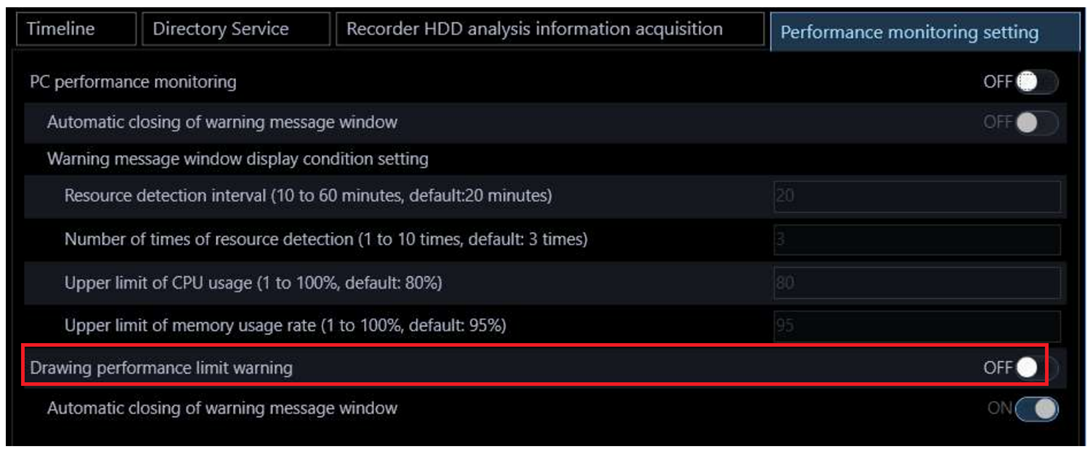

For recommended settings when using 16-screen multi-display mode on the WV-ASM300, please refer to the FAQ below.
The live images are not displayed smoothly when displaying 16-screen camera live images on WV-ASM300. | i-PRO Products
Article number:apac-en127261
Last updated:September 25, 2025
Was this article helpful?
Thank you for your feedback!