How can I change the location where my recorder is installed in the Key Management System (KMS)?
- Network Recorders
- Management Software(ASM)
- System Products
- Installation/Configuration
- License Registration
You can change the installation site information in KMS.
(It is possible to change the installation site information in KMS.)
[Procedure]
1-Login KMS
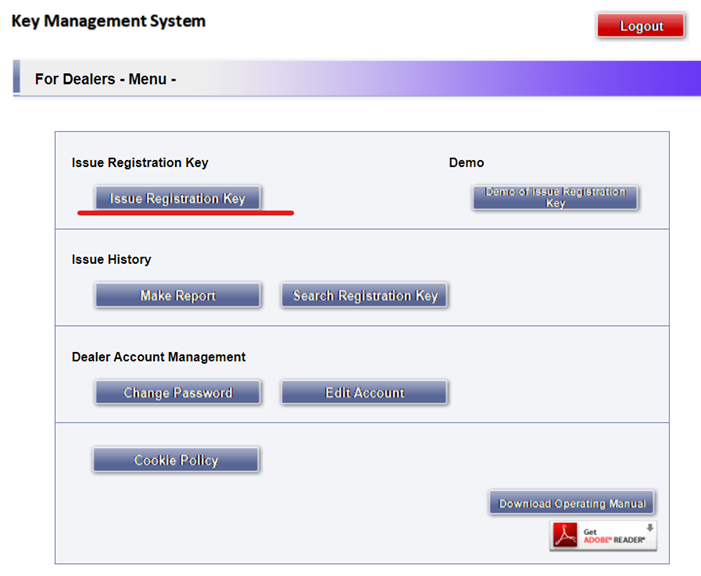
2-Click “Issue Registration Key” button
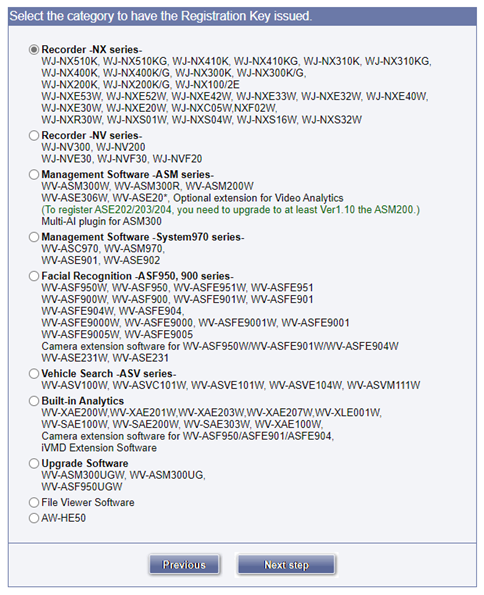
3-Select radio button of your product and click “Next step” button
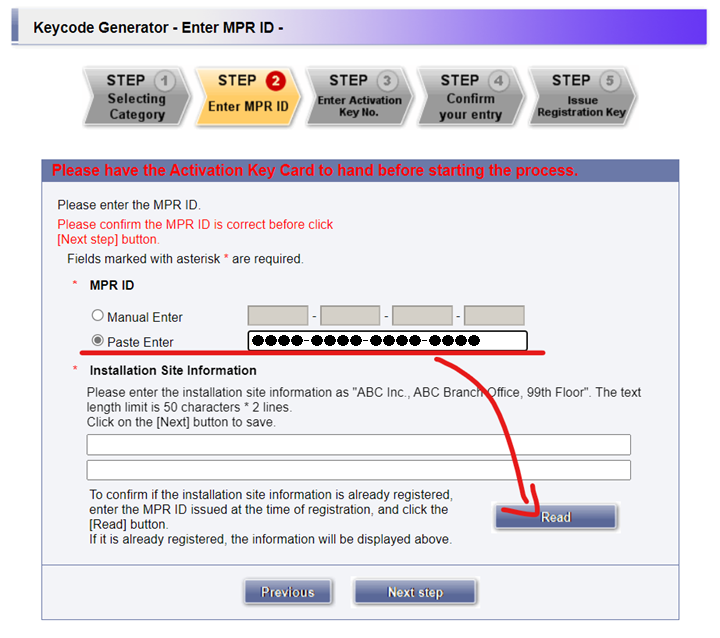
4-Enter the ID (MPR ID) that you want to change the installation site information and click “Read” button
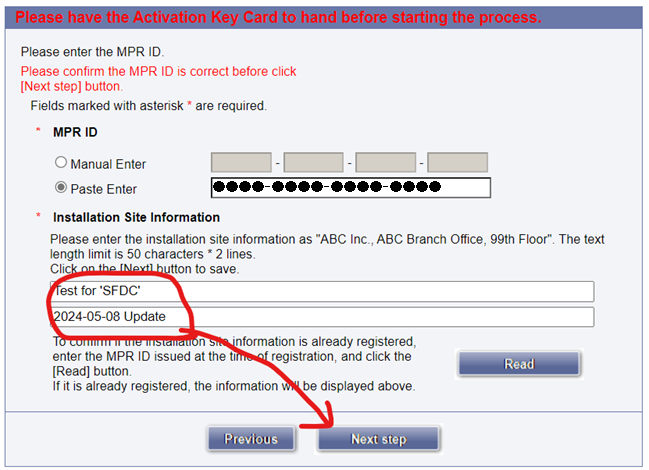
5-Display the registered installation site information in the text box, modify it and press “Next step” button
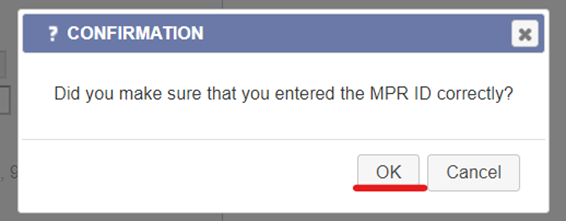
6-Display the confirmation dialog box and click “OK” button
7-Click “Logout” button at the top right of the screen

Article number:apac-en121231
Last updated:October 20, 2025
Was this article helpful?
Thank you for your feedback!