How do I setup and record the WV-PM500 i-PRO Microphone in VI?
- Video Insight VMS
- Installation/Configuration
• The microphone does not need a power supply.
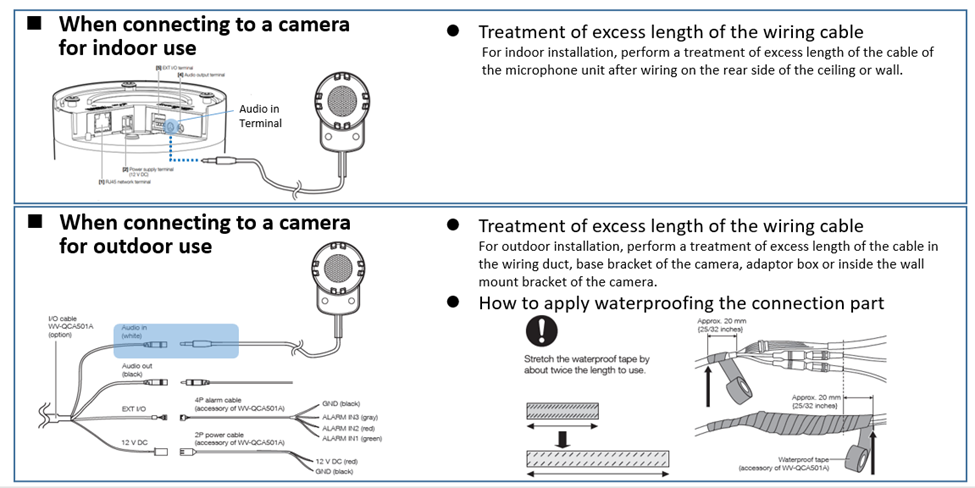
• Plugin the Microphone in the camera’s Audio IN Terminal.
• Go into the camera’s web interface and select the desired audio codec and transmission.
• On VI Monitor Plus, make sure video is recording always and the option for Live and Recorded Audio are both checked.
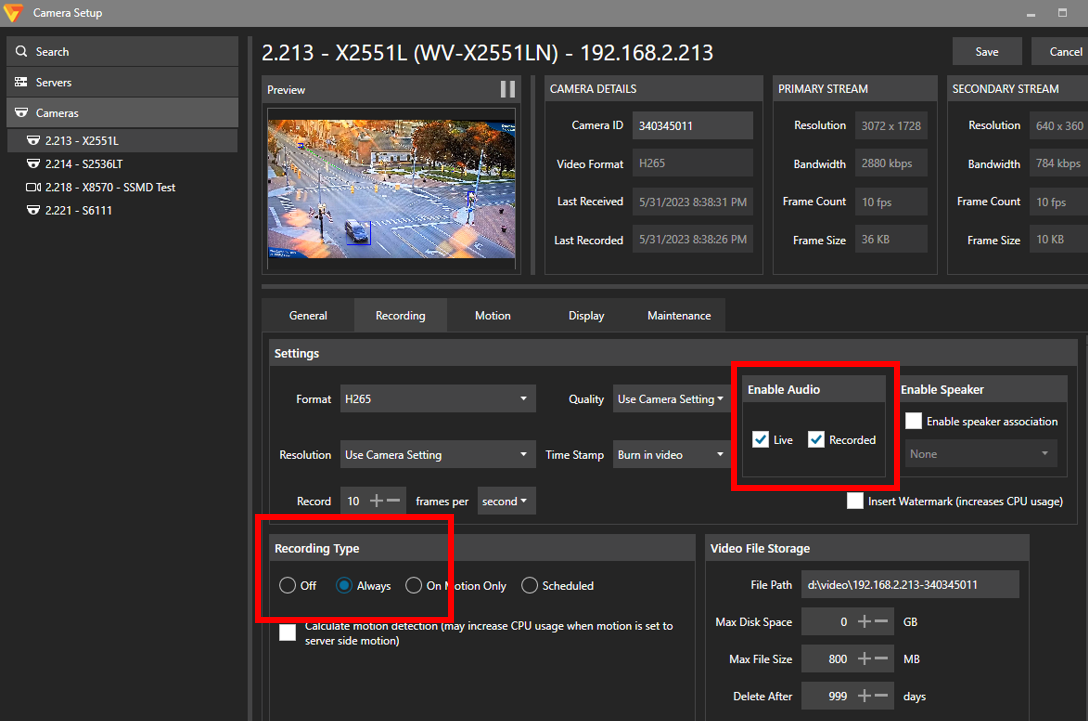
[VI Mon.] → [Administration] → [Camera] → [Configure Properties]
Article number:us-fr125001
Last updated:October 20, 2025
Was this article helpful?
Thank you for your feedback!