How can I change the HDD Mode of the WJ-NX400 recorder? From Single to RAID, or RAID to Single?
- Network Recorders
- Operation
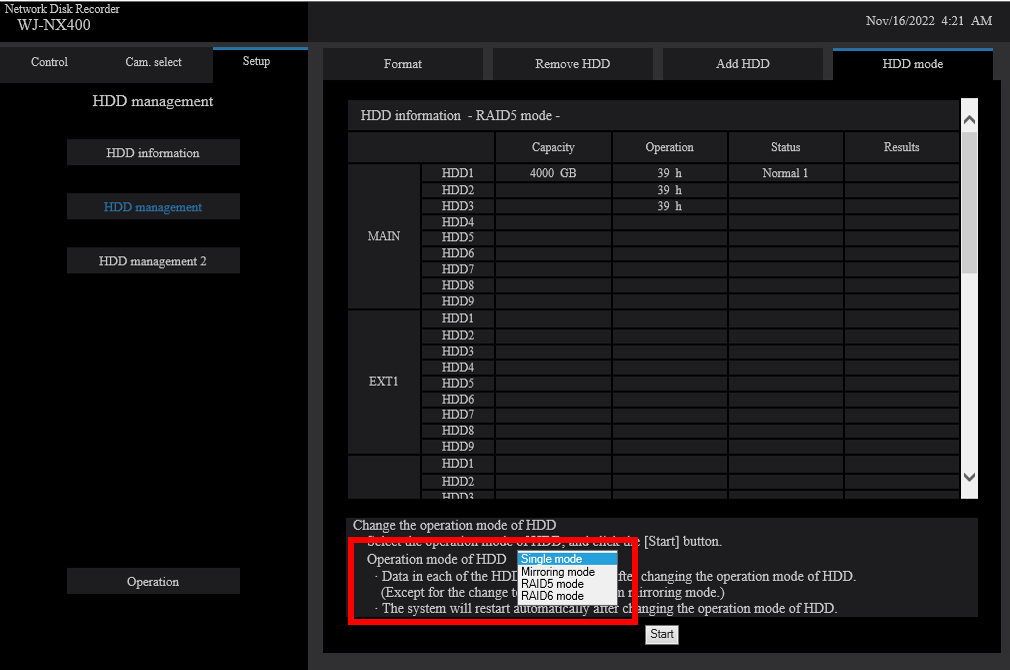
Access the HDD Mode menu by following these steps:
・From the NX400’s web interface, click Setup
・Click HDD Management and enter the Admin credentials
・Click HDD Management again (but it’s a different menu)
・Click the HDD Mode tab
・“Operation Mode of HDD” - set this to either Single, Mirror, RAID5, or RAID6 Mode
・Click Start, and wait for the NX400 to reboot and initialize the HDDs
WARNING
When switching HDD Mode, all data on the drives will be formatted.
But the NVR configuration will remain intact.
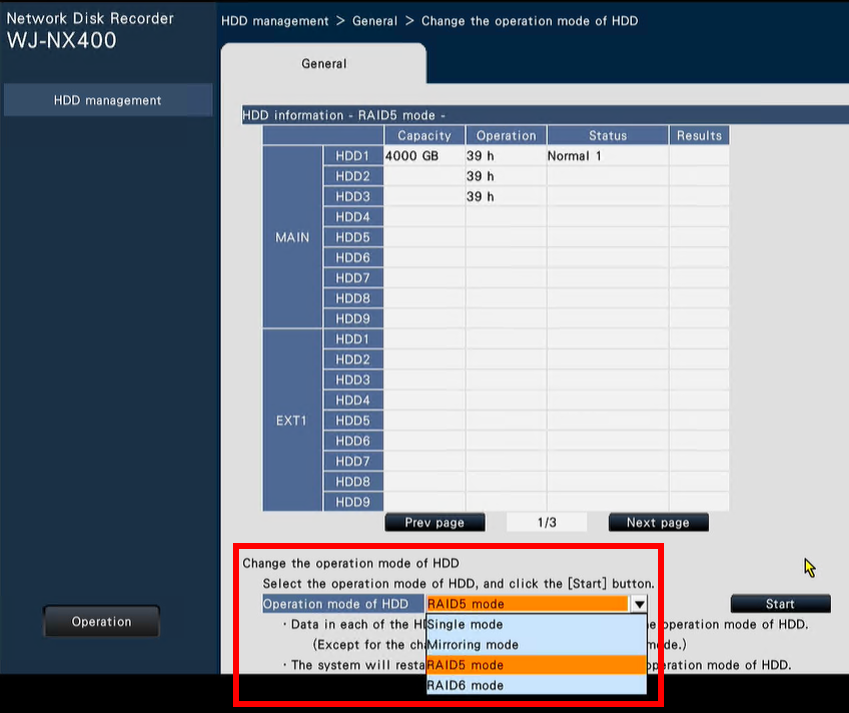
Procedure when accessing the WJNX400 with a local HDMI monitor
The procedure is slightly different:
・On the HDMI Monitor, use the USB Mouse to click Setup
・Expand the Advanced Setup
・Click HDD Management and enter the Admin credentials
・For the option, “Change the Operation Mode of HDD”, click Execute
・“Operation Mode of HDD” - set this to either Single, Mirror, RAID5, or RAID6 Mode
・Click Start, and wait for the NX400 to reboot and initialize the HDDs
Article number:us-fr124616
Last updated:June 19, 2025
Was this article helpful?