How can I delete cameras from an NV or NX Recorder?
- Network Recorders
- Installation/Configuration
Please follow the steps below to delete a camera.
To delete a camera (or cameras) from the NVRs registration, first access the Registered Information menu:
NVR Setup > Camera > Camera Registration > Registered Information, click Setup

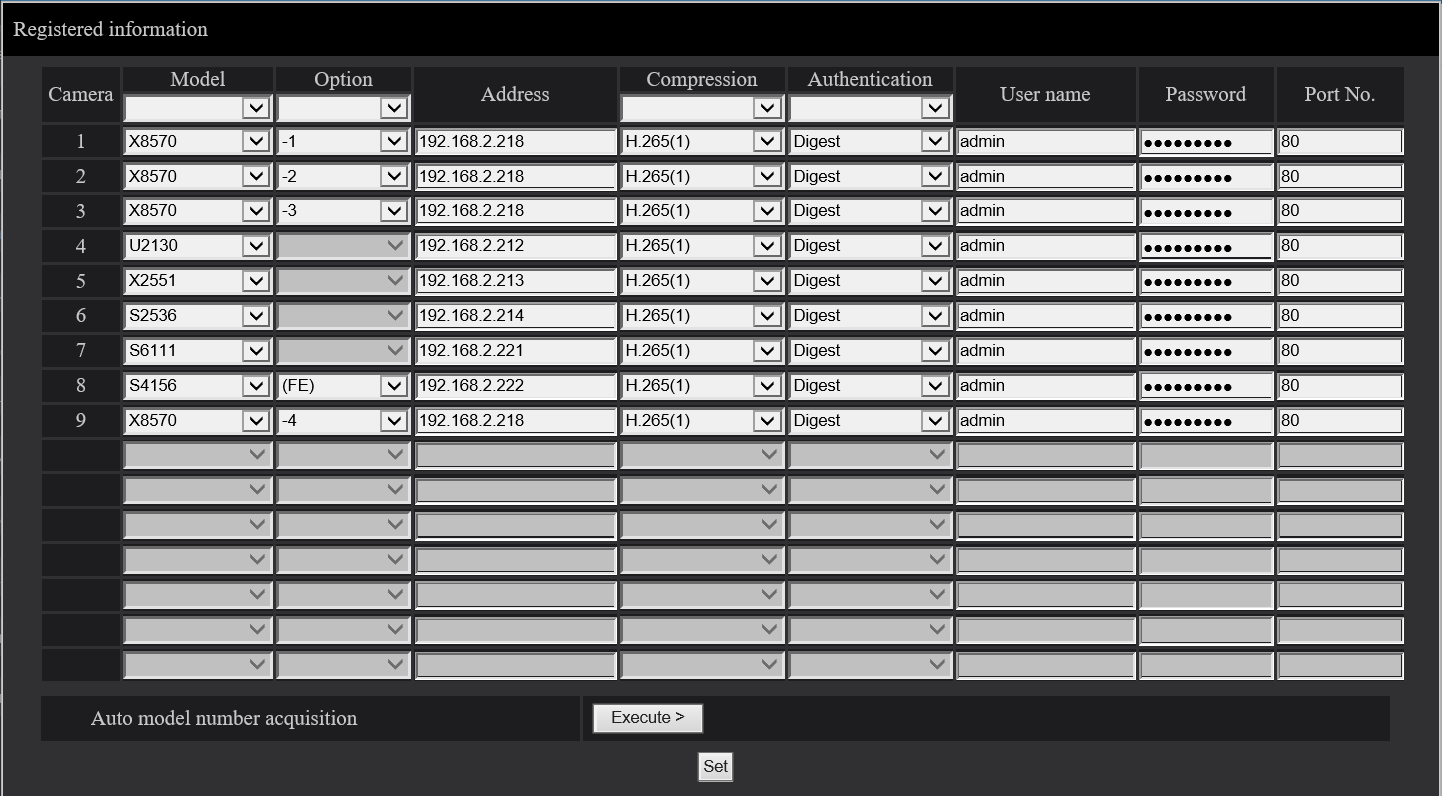
In the Registered Information menu, under the Model column, set the model number to -- , then click Set.
This will delete all other entries in that row, removing the camera from registration.
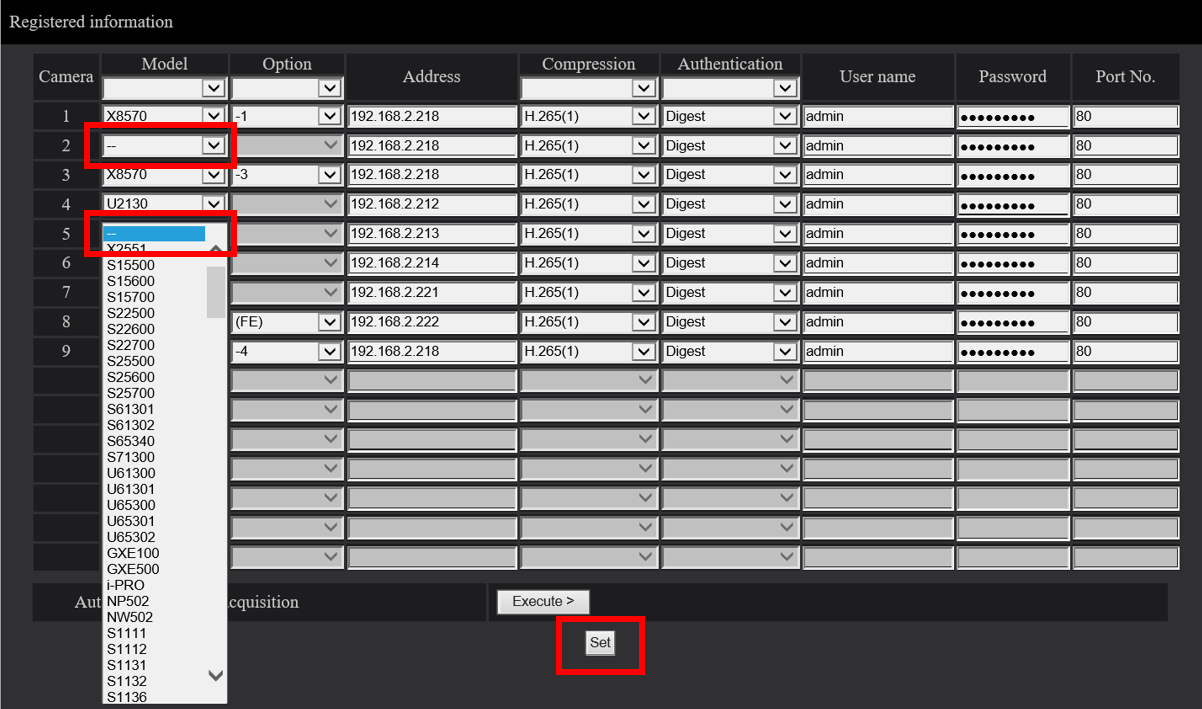
Set Model number to --
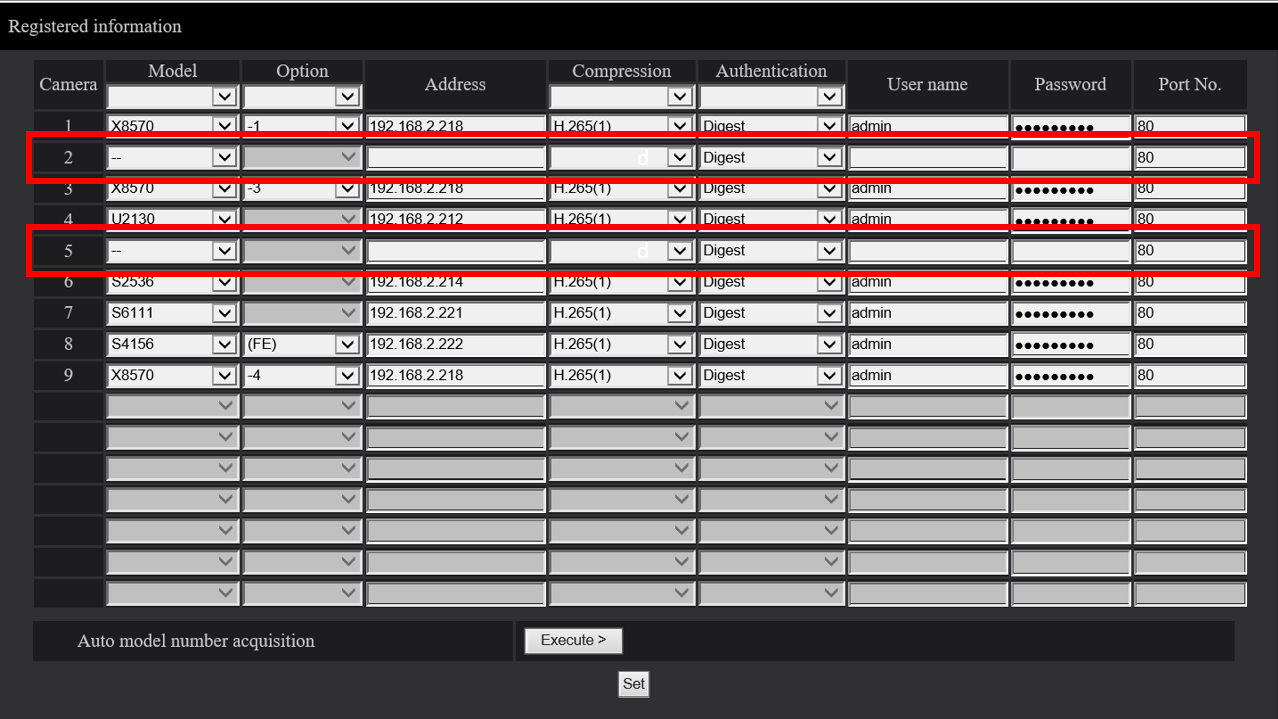
After clicking Save, all camera details are deleted
| This article applies to: |
| WJ-NX400, WJ-NX300, WJ-NX200, WJ-NV300, WJ-NV200 |
Article number:us-fr124571
Last updated:October 20, 2025
Was this article helpful?
Thank you for your feedback!