How do I update the Active Guard plugin on my VI Monitor Plus client?
- Video Insight VMS
- Operation
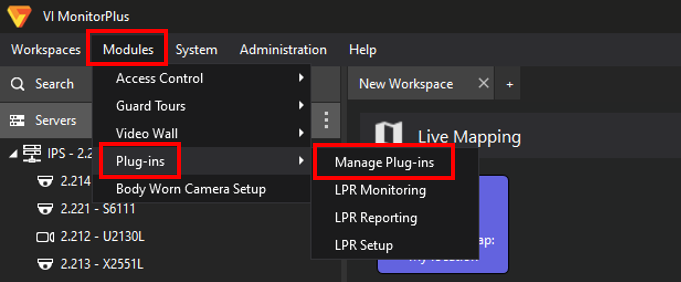
The Active Guard plugin can be updated through the VI Monitor interface. [Modules] → [Plug-ins] → [Manage Plug-ins]
Once the Active Guard server and the server side plugin have been updated, then open the VI Monitor Plus menu to manage plugins.
[Modules] → [Plug-ins] → [Manage Plug-ins]
Confirm an Active Guard plugin Update is available. Select the Active Guard plugin, then click Upgrade.

Article number:us-fr121421
Last updated:June 09, 2025
Was this article helpful?
Thank you for your feedback!