How can I delete cameras from the WJ-ND400 network recorder?
- Network Recorders
- Specification
Please follow the steps below to delete a camera.
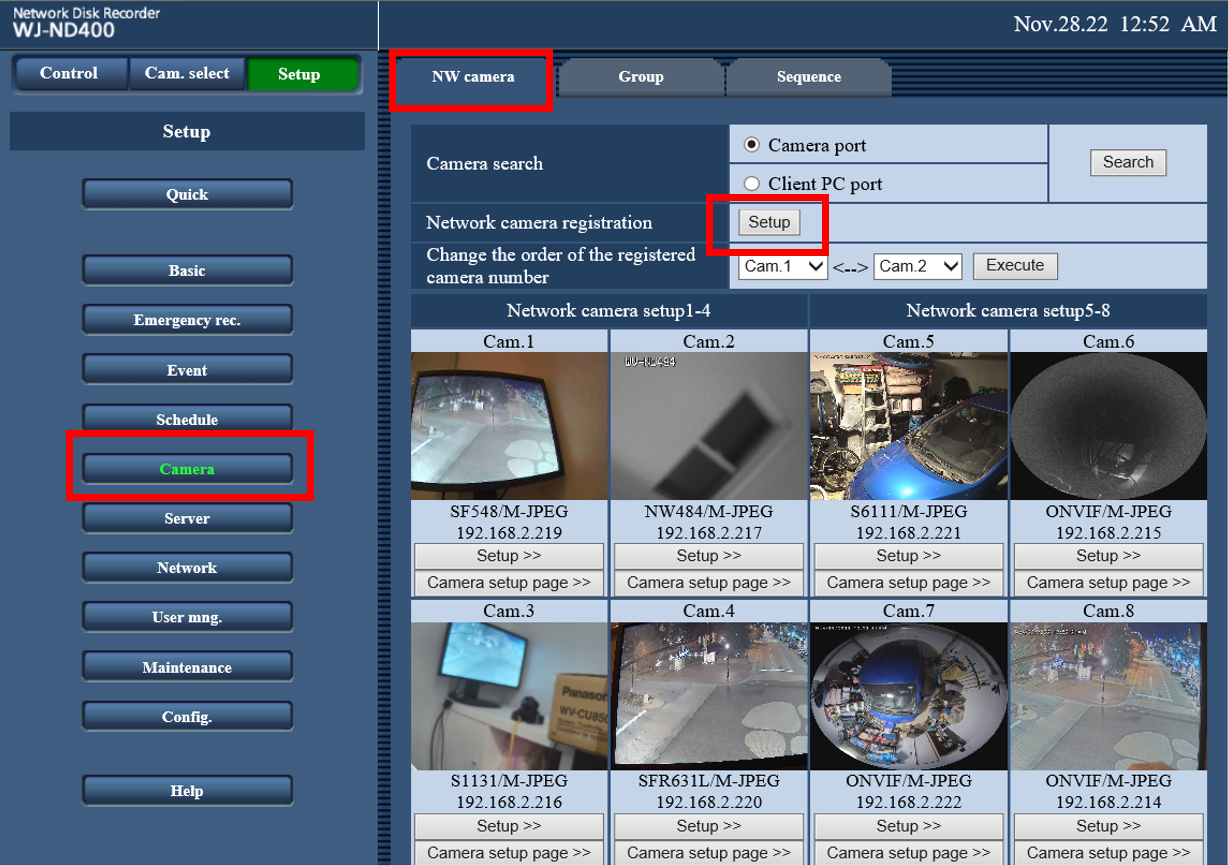
To delete a camera (or cameras) from the NVR's registration, access the Network Camera Registration menu.
Found in the ND400' Setup Menu > Camera > NW Camera > Network Camera Registration, click Setup

In the Network Camera Registration setup menu, execute the following:
・Under the Model/Compression column, set the field to --
・Under the Address column, delete the IP address
・Click Set
This will remove the specific camera from registration.
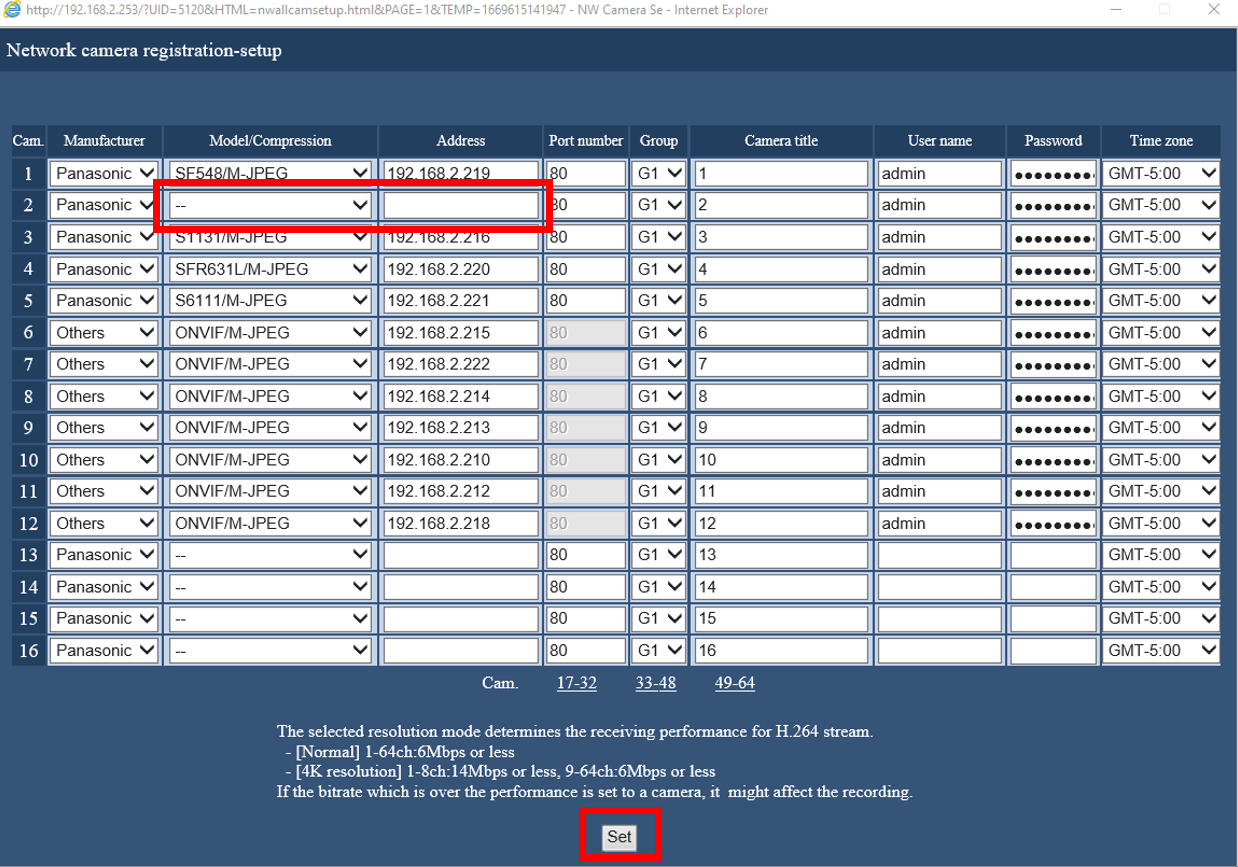
Set Model/Compression to -- , and delete the IP Address

After clicking Set, the camera will be deleted
In the NX series: Only one of the following can be used to delete
・Under the Model/Compression column, set the field to --
・Under the Address column, delete the IP address
Article number:us-fr124526
Last updated:June 18, 2025
Was this article helpful?