Why is the Active Guard Plugin missing in VI Monitor Plus after installing it?
- Video Insight VMS
- Troubleshooting
Problem Description:
You installed Active guard Plugin 1.5.1 on VI Monitor Plus v7.9.2.x. After installing from the Module’s tab in VI monitor Plus, the plugin icons on the main VI monitor Plus Dashboard does not populate.
This issue persists because the Active Guard Plugin version that you are trying to install is not compatible with the current installed version of VI Monitor Plus.
・Open Uninstall Programs from Control Panel
・Uninstall Active Guard Server – plugin and Active Guard Plugin
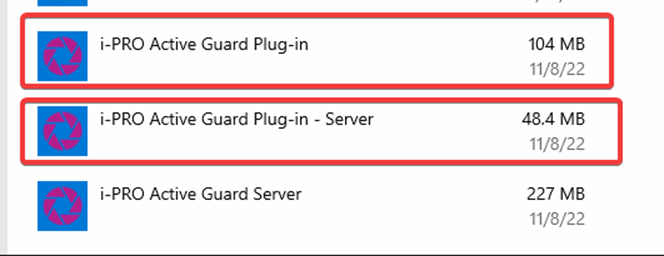
・Download Active Guard Plugin v1.4 (for this specific scenario)
・Unzip the downloaded plugin file
・Run the setup as an administrator, finish setup
・Open VI Monitor Plus
・Go to Module > Plugin
・Select the Active Guard Plugin and click Install. Finish the installation process.
・Restart VI monitor Plus and re-login
・Now the Plugins will show on the main dashboard of VI Monitor Plus after logging in
Note:
When downloading an Active Guard Plugin, read the notes written in red before installing the product. In general, ensure you have latest compatible versions of both Active Guard and Video Insight.
Article number:us-fr124121
Last updated:June 17, 2025
Was this article helpful?